White Label CRM: Brand the Client Experience Around Your Work
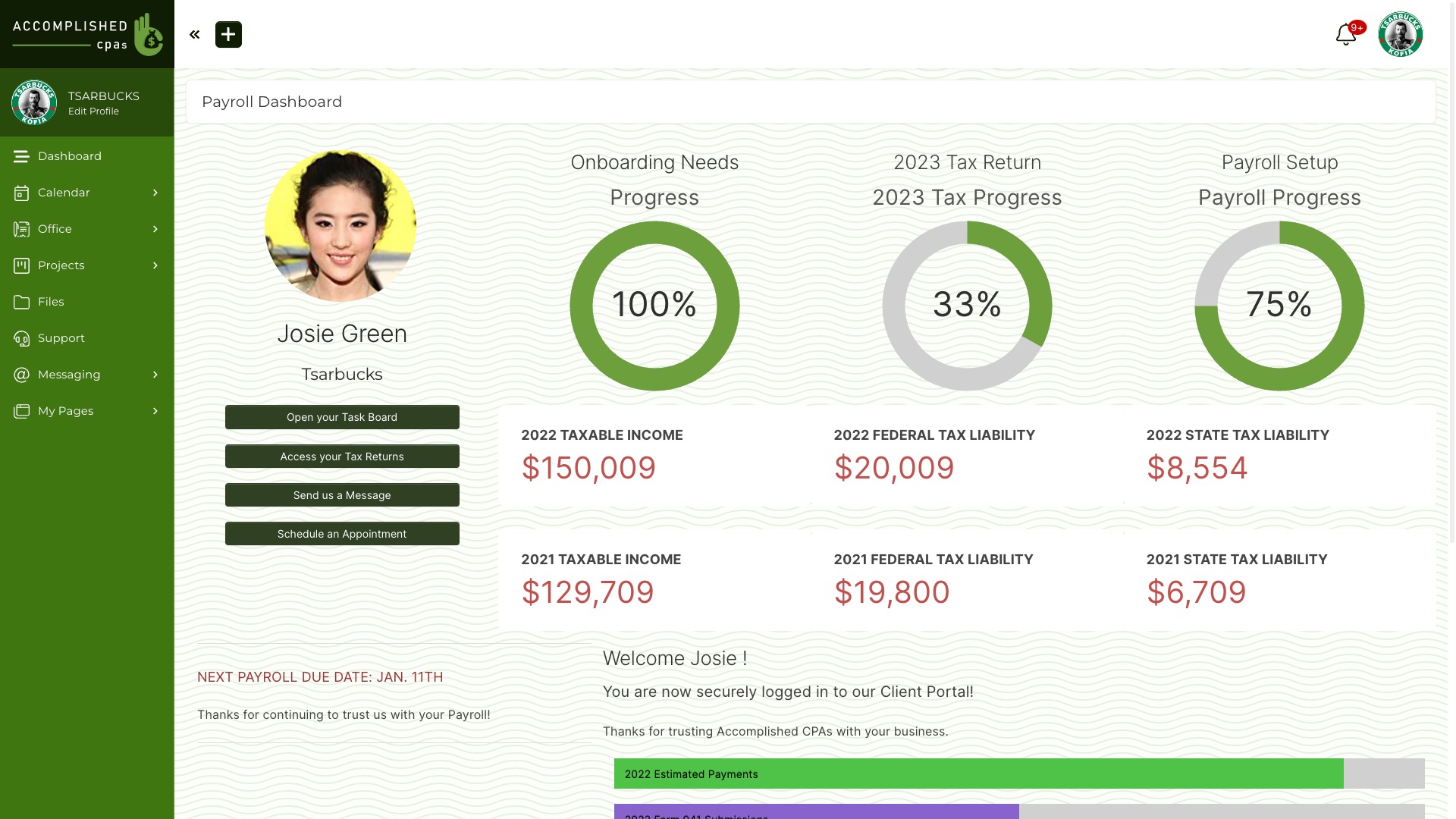
A white-label CRM lets your team manage client relationships while presenting the client-facing experience under your own brand. In SuiteDash, the staff CRM and the client portal are connected, but clients see the projects, files, messages and billing you configure for their role. The useful question is which parts of that journey need your brand, and what you must set up to make it consistent.

This guide uses current SuiteDash Help and Pricing checked in October 2026. Feature access and setup requirements can change; confirm the plan and configuration you would use.
What white-label CRM means in practice
Your staff can use CRM records to manage contacts and sales. Clients usually do not need that internal workspace; they need an appropriate place to see their own work and communicate with you. SuiteDash connects the CRM record to a configurable client portal. Branding settings cover the portal appearance, URL, login and notifications. Project and page permissions still determine what each client sees.
Branding alone is not access control. Before inviting clients, test a representative client account and verify that another client’s records and internal team work are hidden. See project settings and Portal Page assignments for the relevant controls.
Six brand surfaces to check
1. Portal interface
Set your logo and colors in Platform Branding. Check the dashboard and menus with a client role, including on a phone.
2. Custom URL
Connect a domain you control and follow the Custom URL setup. Test the login and links to invoices or proposals on that URL.
3. Login page
After the Custom URL is configured, choose a login layout, logo, app icon and favicon. Check the first screen a client sees.
4. Notification email
Use Domain Verified Sending or SMTP, then inspect the sender, logo, colors, footer and links in a real test email.
5. Documents and billing
Company details feed invoices; proposal styling has its own settings. Preview a sample invoice and proposal. Some page-level branding controls have plan rules.
6. Mobile experience
The branded mobile experience is an installable Progressive Web App after Custom URL and Custom Login setup. It is not a separately listed native app in the Apple or Google stores.
White label does not mean every tool or every branding control is identical on every plan. Use the current plan page and the relevant Help articles to verify the exact surfaces your business needs.
A practical setup sequence
- Map your staff CRM work and the client-facing information each role needs.
- Set the organization profile and portal branding. Preview an invoice, dashboard and page.
- Connect the Custom URL, then configure and test the login page.
- Set up branded email sending and send yourself a sample invitation and notification.
- Configure one client project or Portal Page with permissioned content.
- Invite a test client, sign in on desktop and phone, and install the PWA if mobile branding matters.
- Test a second client’s account to confirm the records stay separated.
The time required depends on DNS, email verification, assets, page design and permission decisions. Budget for a real client-view test; do not assume every account can be fully branded in a fixed number of hours.
Plan for the complete client journey
Start with the role of this page: CRM plus a branded client experience. If your clients only need internal sales updates by email, full portal branding may be less important. If they sign in for projects, files, messages or invoices, test those exact paths as one journey.
SuiteDash lists white labeling and unlimited staff and client access across its plans, while other toolkits and certain branding controls depend on plan. Check current SuiteDash pricing for plan access, storage and billing terms. If you compare another vendor, use its current official plan and Help pages for the specific branding feature rather than a broad “white label” label or an old price chart.
For teams evaluating marketing-led agency software, the GoHighLevel alternative guide covers a different buyer question. For a portal-first comparison, see the white-label client portal guide. This page focuses on what it takes to connect staff CRM and a branded client relationship in SuiteDash.
White-label CRM questions
Which SuiteDash plan includes white labeling?
SuiteDash lists white labeling on every subscription plan. Check current pricing and the Help article for each specific branding control and related feature you need. A branded portal does not imply that every toolkit is available on the same plan.
Is SuiteDash’s branded mobile app native?
No. SuiteDash Help describes an installable Progressive Web App, enabled after you configure the Custom URL and Custom Login. It is not a separate native app-store listing.
Can I resell SuiteDash accounts under my brand?
The SU1TE Partner Program covers separate child accounts for resale. Branding one account and inviting its clients is a different setup. Review the partner program and current terms before designing a resale offer.
Will clients see everything in my CRM?
No, client access depends on roles and the projects, files and pages you assign. Test with two client records and inspect each client view before going live.
Try a branded client journey
Build one sample client record, connect the relevant work, and inspect the portal on desktop and phone. Confirm your plan and brand setup before inviting real clients.
Start a SuiteDash trial or read the white-label feature tour.