Automation Suite & Logic Engine
+
Connect the work your team already does, so each Client handoff happens at the right time and under the right conditions.
Turn Deal changes, Form submissions, FLOW steps, payments, and Project milestones into configured actions. Send messages, assign work, update records, and reuse Auto-Templates with IF/THEN logic.
Replaces…KeapDubsadoHoneyBook

Start with the event that matters
Put the next action where the work happens. A Deal moving through a pipeline, a Project or Phase finishing, and a FLOW step completing can each become a trigger for the handoff you define.
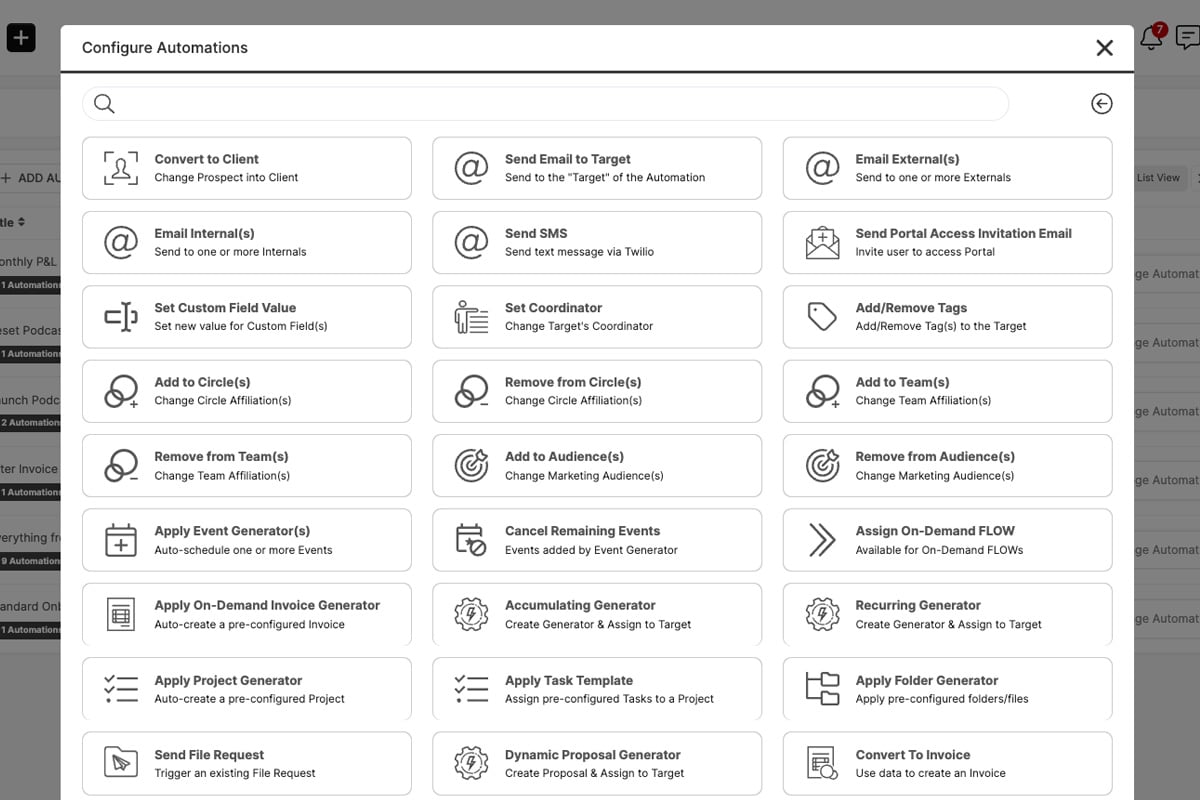
Choose the work that follows
Stack the actions that make the handoff complete. Notify a Client or Staff member, assign a FLOW, create a Project, update a Circle, or set a Custom Field value without maintaining a second client list.
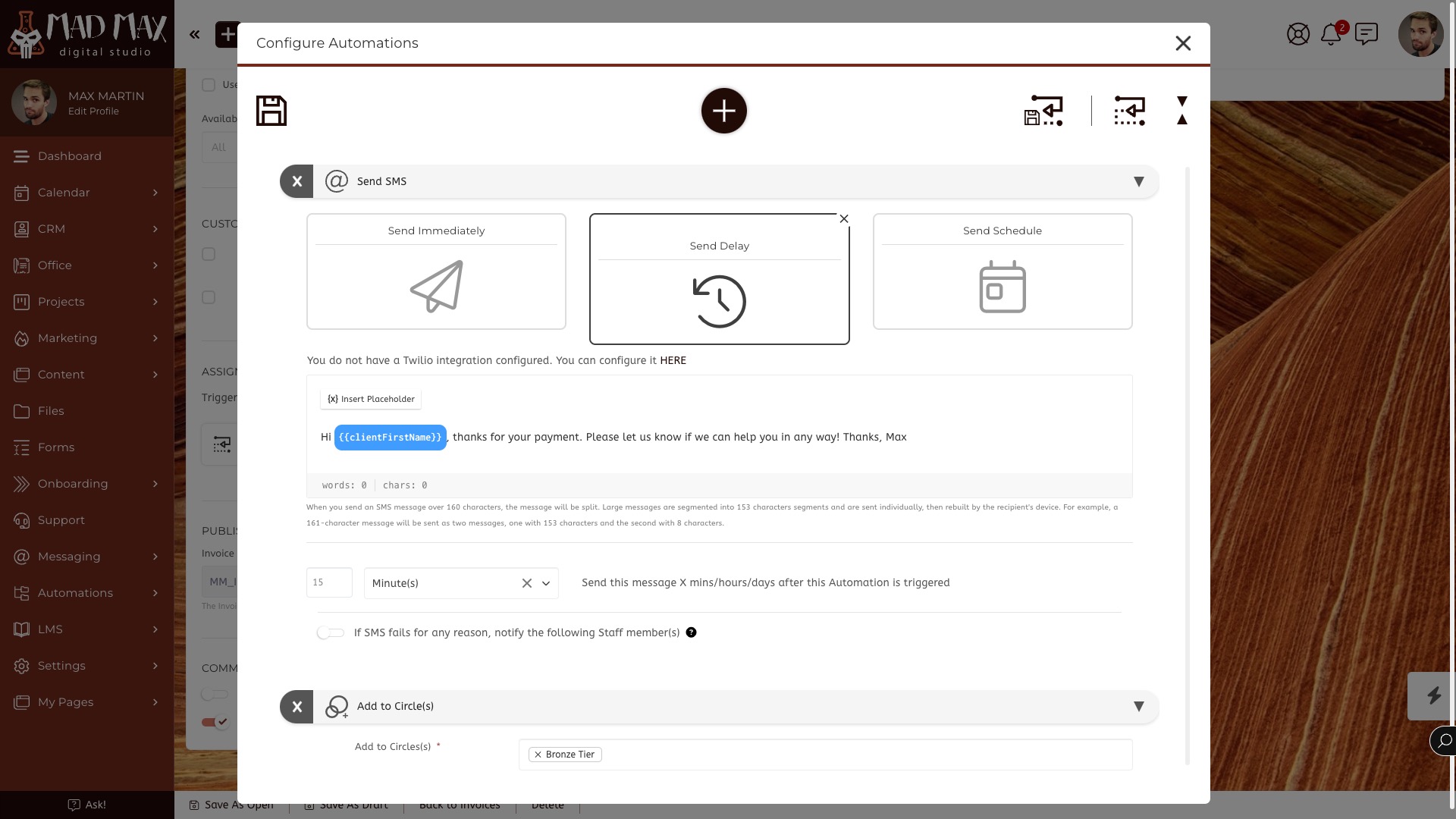
Reuse the sequence with Auto-Templates
Build an Automation set once, then apply it from a supported workflow or trigger it manually for a Contact, Company, Circle, or selected group. Your team can repeat the process without rebuilding each action.
Add IF/THEN logic to the handoff
Auto-Template Trigger Logic checks your chosen conditions before the prepared Automation set executes. Target Custom Fields, dates, selected people, and Circles can determine who qualifies and when.
Schedule what should happen later
Some work starts with a change of status; other work belongs on a date. Scheduled Automations use a Based-On Date you define for CRM or Staff Targets, including a date held in a Custom Field.
One Client journey, with the next step connected
A business process rarely ends at one screen. A sales handoff can begin onboarding; an onboarding step can prepare delivery; a completed Project can alert the next person. SuiteDash lets you configure those transitions in the same Platform that holds the Client, work, files, billing, and communication.
Start with one repeated handoff, build the actions it needs, then add conditional logic or a schedule when the process calls for it. Explore the Automation tools in the Help Center.
