One Contact, Multiple Companies, Zero Confusion
If you run an accounting firm, a bookkeeping practice, or any service business that works with entrepreneurs, you already know the pattern. Your best Clients are the busiest ones. They’ve got two LLCs, a consulting company, and maybe a nonprofit on the side. Every one of those entities needs invoices, documents, projects, and communication trails – and every one of them funnels through the same person.
That person calls you from one phone number. They email you from one address. They sign everything. And somehow, in whatever system you’re using to manage all of this, you’re supposed to keep their world organized without mixing Company A’s tax documents with Company B’s contracts.
Most platforms make this harder than it needs to be. You end up creating duplicate contacts – one per entity – and then managing a small database of the same human being with slightly different labels. Or you shove everything into one record and hope you can tell which invoice belongs to which corporation when it matters. Neither approach scales. Neither approach feels professional when your Client logs in and sees a mess.
The real problem isn’t the data – it’s the access
The records themselves are usually fine. You know which invoice belongs to where. The friction shows up when your Client needs to interact with their own stuff. They need to log in, see their documents, pay an invoice, download a file. And if they represent more than one entity, you’re stuck figuring out how to give them access to all of it without crossing the streams.
This is where most systems force a compromise. Either your Client gets one login that sees everything – which breaks confidentiality between their own entities – or they get multiple logins, one per Company, and have to remember which credentials go where. Both options create support requests. Both options make your portal feel stitched together.
What actually happens when a Primary Contact changes
In SuiteDash, every Company has a Primary Contact. That’s the person who receives communications, gets notifications, and represents that Company when they log into your portal.
Here’s the part that matters: if that Primary Contact changes, it’s a simple swap. You update the Primary Contact, enter the new email address, and you’re done. All of your records stay intact. Your documents, your Projects, your Invoices, your Subscriptions – they all stay associated with the Company. Nothing moves. Nothing breaks. The only thing that changes is who gets the communications going forward.
You could change the Primary Contact every single day if you needed to, and your data would never be affected. That’s not a workaround. That’s how it’s built.
One person, multiple Companies
Now here’s where it gets genuinely useful. A single Contact can be the Primary Contact for multiple Companies.
Think about what that means for the accountant or bookkeeper reading this. You’ve got a go-getter entrepreneur who owns three corporations. You add all three Companies into SuiteDash and assign that entrepreneur as the Primary Contact for each one.
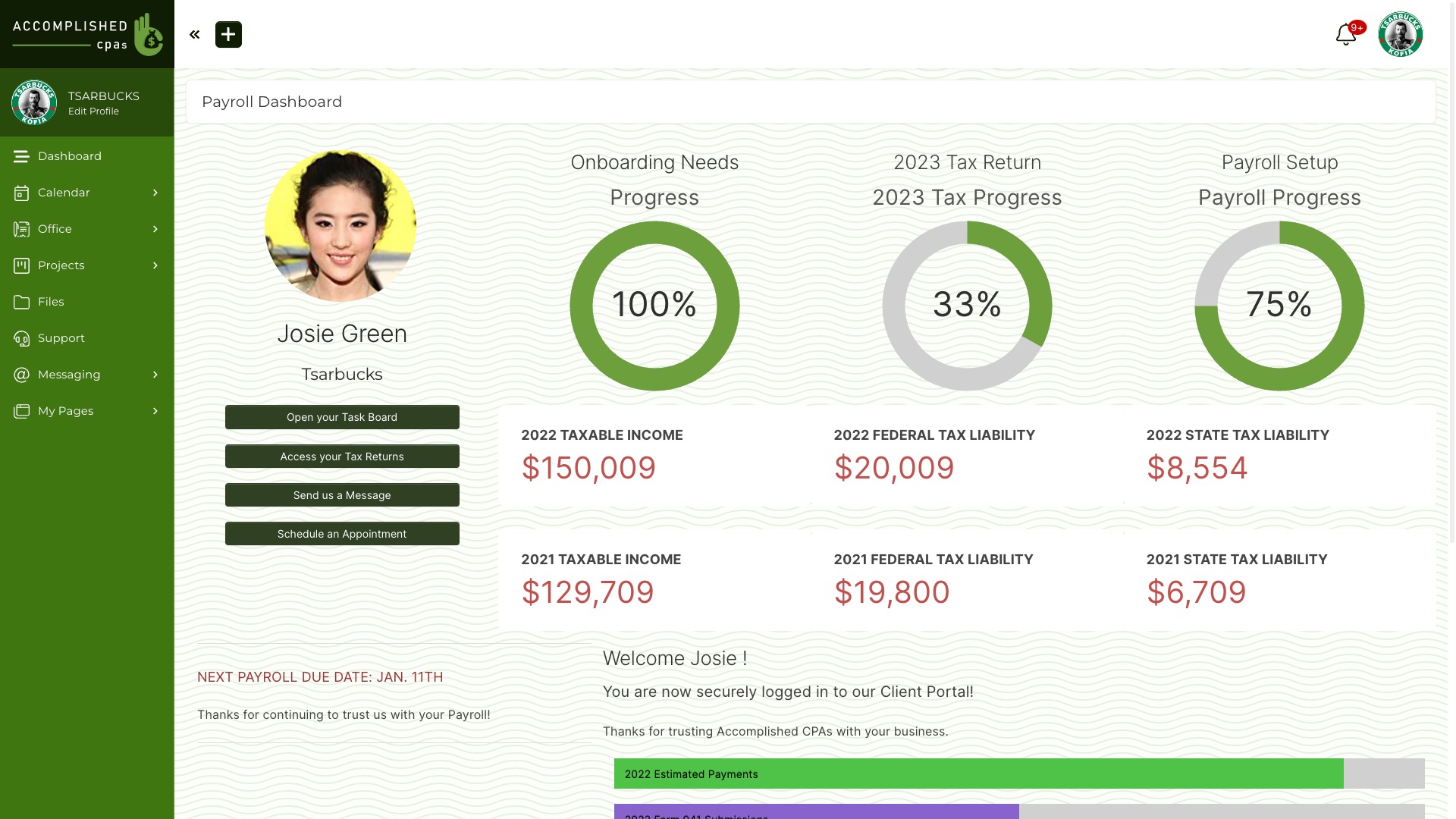
When that person logs into your portal, they see a Profile Switcher. They can switch from Company A to Company B to Company C. When they switch into Company B, all they see is exactly what’s related to Company B. Documents, Projects, Invoices, Files – only Company B’s. They switch to Company C, same thing. Each Company is completely isolated – your Client sees only what belongs to that entity, nothing else.
They can switch into Company A and pay an invoice. Switch into Company B right after that and sign a document. Switch into Company C and download their tax returns. One login. No duplicate accounts. No password confusion. No “which portal was that again?”
The Profile Switcher lives in the Flyout Menu, so it’s always accessible. And you can set a Preferred Profile for each Contact, which means they land on the right Company view every time they log in – no extra clicks to get where they’re going.
The individual angle
Here’s one more layer that comes up constantly in practice. That same entrepreneur with three or four Companies? They also have personal taxes. Personal documents. Personal communication with your firm that has nothing to do with any of their business entities.
SuiteDash handles this with an Individual Profile. Your Client logs in, sees their Companies in the Profile Switcher, and also sees themselves as an individual. They switch into their personal profile, and they’re looking at their personal Invoices, their personal documents, their personal Projects – completely separate from any Company data.
For tax professionals, this is the exact scenario you deal with every single engagement season. Business taxes and personal taxes, same Client, same portal, zero bleed between them.
What this actually changes for your business
Let’s step back from the feature and talk about what’s different on Monday morning.
First, you stop creating duplicate contacts. One person is one Contact, regardless of how many entities they represent. Your CRM stays clean. Your reporting stays accurate. You’re not untangling “which John Smith is this?” six months from now.
Second, your Clients stop asking you for help logging in. One login, one set of credentials, and a clear Profile Switcher that lets them navigate their own world. That’s fewer support emails for you and a more professional experience for them.
Third, when relationships change – and they do – you handle it in seconds. A Company brings on a new point person? Update the Primary Contact. The old one still exists as a Contact in your system. The new one starts getting communications immediately. No migration, no data loss, no drama.
And fourth, you look like you built this. Your portal is white-labeled. Your Client doesn’t see SuiteDash. They see your brand, your logo, your colors – and a system that handles their multi-entity life without making them think about it. That’s the kind of thing that earns its keep over time.
The setup is simpler than you think
You don’t need a special plan or a complicated configuration to make this work. Add your Companies. Assign Primary Contacts. If one person is the Primary Contact for multiple Companies, SuiteDash handles the Profile Switcher automatically. Set a Preferred Profile if you want to control the default landing view.
That’s it. No custom code. No workaround. No third-party integration to bolt on. The system was designed for this exact scenario because it comes up in almost every service business that works with entrepreneurs and business owners.
If you’re currently managing multi-entity Clients with spreadsheets, duplicate records, or separate logins, this is the part of SuiteDash that will change your workflow first.
Related reading
Ready to Run Your Whole Business From One Login?
Start your free 14-day trial on the Pinnacle plan. No credit card required. Every toolkit, nothing held back.