Client Portal Dashboards, Portal Pages, and Landing Pages
This comprehensive guide dives into the functionalities and applications of SuiteDash’s core features: Dashboards, Portal Pages, and Landing Pages. By understanding their distinctions, you can leverage them effectively to streamline your workflows, enhance client communication, and optimize your marketing efforts.
Dashboards: Your Personalized Home Base
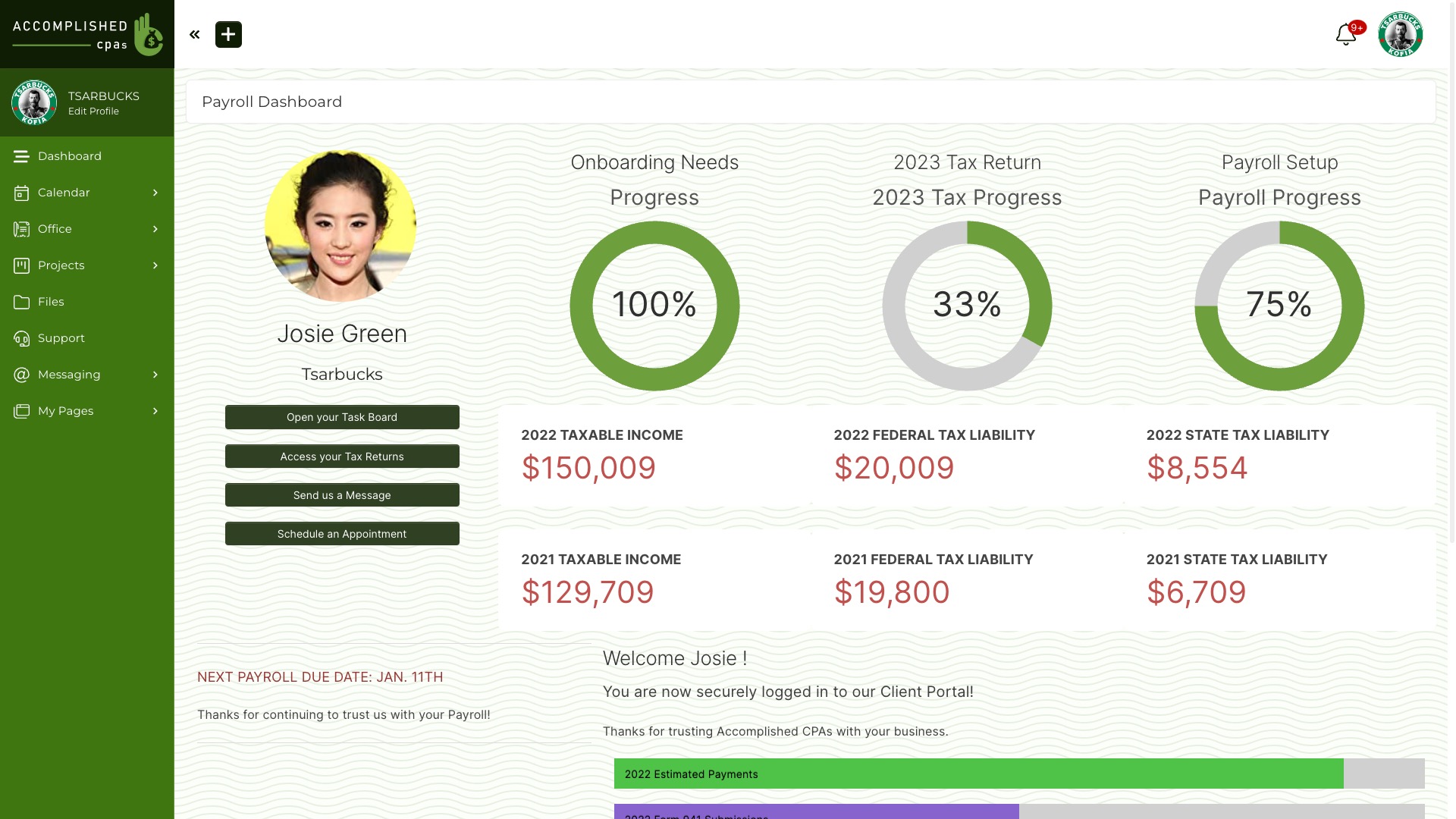
Imagine a central hub within SuiteDash, accessible at any time. That’s precisely what Dashboards offer! They serve as your personalized home base, providing a quick and convenient way to return to the information most relevant to you.
-
Key functionalities:
- Assigned by default to each user upon creation.
- Accessible via the native “Dashboard” menu link in the main navigation.
- Clicking the primary SuiteDash logo also redirects to the assigned Dashboard.
- Option to create multiple Dashboards for various purposes.
- Assignable to clients or staff members, enabling tailored content delivery.
- Priority assignment system allows granular control over who sees what.
- Dynamic content updates based on assigned Circles (user groups).
-
Use cases:
- Display key performance indicators (KPIs) for clients or staff.
- Provide quick access to frequently used tools and resources.
- Offer an overview of project progress or team performance.
- Create custom dashboards for specific roles or departments.
Portal Pages: Your Internal Knowledge Base
Think of Portal Pages as your private intranet within SuiteDash. Accessible only to logged-in users, they offer a flexible platform to manage internal information and resources.
-
Key functionalities:
- Multiple Portal Pages assignable to a single user (client or staff).
- Content invisible to non-assigned users.
- Create a spectrum of internal knowledge base pages.
- Document internal systems and best practices.
- Flexible access control based on Circles, Teams, Roles, or Individuals.
- Option to show or hide specific content blocks within a Portal Page for different Circles.
- Build custom menus or link directly to Portal Pages using SuiteDash’s menu functionality.
- Leverage button blocks or hyperlinks from Dashboards to link deeper into Portal Pages.
- Set a Portal Page as the “Start Page” for a user or Circle, redirecting them upon login (instead of the default Dashboard).
-
Use cases:
- Create onboarding guides for new clients or staff.
- Store internal policies and procedures.
- Share company announcements or updates.
- Provide access to internal resources like file repositories or training materials.
Landing Pages: Your Public Gateway
Landing Pages are SuiteDash’s answer to attracting and engaging your target audience. They function as publicly accessible web pages, ideal for marketing campaigns and lead generation.
-
Key functionalities:
- Publicly available upon creation and publishing.
- Generate a unique public URL for easy sharing.
- Option to create a custom “friendly URL” with a descriptive “slug” (ending part of the URL).
- Integrate custom QR codes for mobile device access.
- Employ “Public” and “Private” content blocks for dynamic content delivery.
- Public blocks are visible to all visitors, even unregistered users.
- Private blocks become visible to returning users or those recognized by the system through active sessions (e.g., logged-in CRM contacts).
- This functionality allows for targeted content based on user recognition, fostering personalized marketing experiences.
-
Use cases:
- Promote special offers or upcoming events.
- Capture leads by offering valuable content in exchange for contact information.
- Showcase your services or products to a wider audience.
- Create targeted landing pages for specific marketing campaigns.
- Leverage retargeting strategies to display relevant content to previous visitors.
In Conclusion:
By effectively utilizing SuiteDash’s Dashboards, Portal Pages, and Landing Pages, you can create a streamlined workflow, enhance internal collaboration, and optimize your marketing efforts. Remember, each element serves a distinct purpose, and understanding their capabilities empowers you to leverage SuiteDash’s full potential for business growth and success.