SuiteDash vs Stripe
Payment processing powers modern businesses. Stripe dominates online payments with a simple, reliable API. But payment processing is just one piece of running a services business. You also need invoicing, project tracking, time logging, client management, and automation.
Stripe handles the payment part beautifully. But once the payment clears, you still need separate tools for invoicing, proposals, project management, time tracking, and client communication.
SuiteDash combines Stripe-level payment processing with project management, invoicing, time tracking, CRM, client portals, and automation—eliminating the tool sprawl that comes after payment.
SuiteDash includes CRM as one module alongside projects, invoicing, automation, proposals, and portals. All sharing the same customer database. Zero integrations to maintain. One unified platform instead of Stripe plus 5-7 other tools.
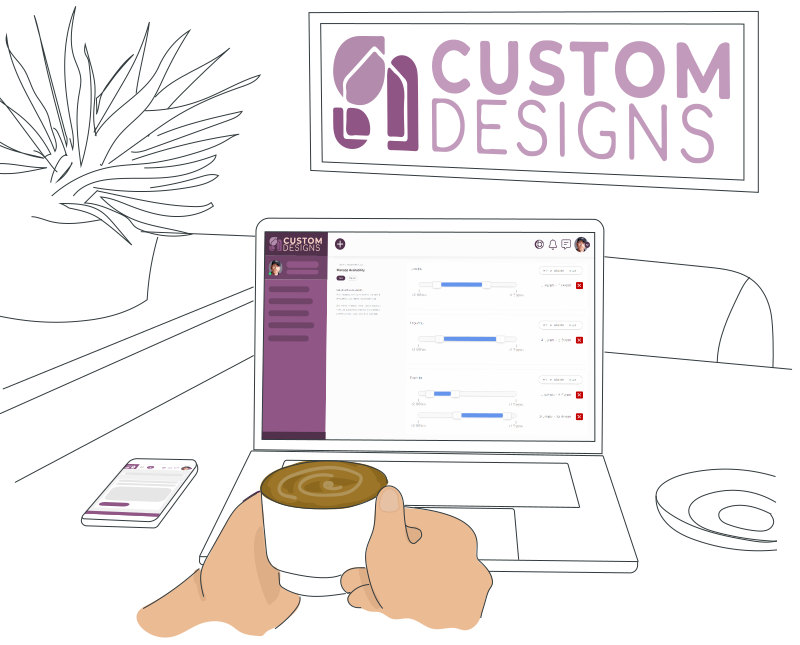
Stripe vs SuiteDash: What’s the Difference?
Stripe is best-in-class for payment processing. SuiteDash is best-in-class for complete business operations. Here’s how they compare:
1. Payment Processing
Stripe’s core strength: accepting payments online. Credit cards, digital wallets, bank transfers. Stripe’s API handles the technical complexity so you can accept payments anywhere—website checkout, mobile app, subscription billing, marketplace payments.
Stripe advantage: Stripe’s payment infrastructure is rock-solid. Billions in transactions processed. Best-in-class security. Fastest payouts in the industry.
2. Invoicing & Billing
After payment, you need invoicing. Stripe doesn’t handle invoicing—you must use a separate tool. SuiteDash includes native invoicing: create invoices, send to clients, track payment status, automate reminders, generate reports.
SuiteDash advantage: Invoicing built-in. No separate tool needed. One shared data layer for customers, payments, and invoices. Clients pay invoices directly through SuiteDash’s payment processing (powered by Stripe integration).
3. Project Management
After closing a deal (via Stripe payment) and sending an invoice, you need to track the work. Stripe doesn’t offer project management. SuiteDash includes built-in project tracking: task lists, timelines, team collaboration, and progress tracking all tied to the customer record.
SuiteDash advantage: Projects, tasks, and timelines all in one platform. Track work alongside payments and invoices. No context switching. One shared data layer for customers, payments, invoices, and projects.
4. Time Tracking
Service businesses track time to bill clients. Stripe doesn’t track time. SuiteDash includes native time tracking: team members log hours against projects, time entries are linked to invoicing, and you can bill clients based on tracked time.
SuiteDash advantage: Time tracking built-in. No separate app. Track hours, see them on invoices, bill clients automatically. Time entries feed directly into project financials.
5. CRM and Sales Pipeline
Stripe is built for payment volume, not sales management. SuiteDash includes CRM: pipeline tracking, deal management, activity logging, opportunity tracking, and sales reporting.
SuiteDash advantage: CRM built into the same platform as invoicing, projects, and time tracking. When deals close, transition to project delivery without re-entering customer data.
6. Client Portals
Stripe is payment infrastructure, not a client communication tool. SuiteDash includes branded client portals where clients can view project progress, download files, access invoices, and communicate with your team.
SuiteDash advantage: Client portals built-in. Clients see their projects, messages, documents, and invoices in one place. Reduces support emails. Improves transparency. Increases customer satisfaction.
The Core Difference
Most standalone CRM tools do these six things well. SuiteDash’s advantage: all six capabilities plus invoicing, proposals, project management, email marketing, and automations in one platform. Your sales team has complete customer context without leaving the app. When a deal closes, the team transitions to project management without re-entering customer data. When projects complete, invoices pull directly from tracked time. One interface. One shared data layer. Complete context.
Who Should Use SuiteDash Instead of Stripe Alone?
Stripe is valuable for any business accepting online payments. SuiteDash is valuable for service businesses that need to sell, deliver, and bill.
Service Agencies (consulting, marketing, design, development) need Stripe for payments plus invoicing, project management, time tracking, and team collaboration. SuiteDash combines all of these with Stripe-grade payment processing built-in.
Professional Services (accounting, law, financial advisory) bill by the hour. Stripe handles payments. SuiteDash handles time tracking, invoicing, project tracking, and client management. No separate tools needed.
Freelancers and Solo Contractors need to manage multiple clients, track time, send invoices, and accept payments. SuiteDash is designed for this workflow: one tool for clients, projects, time, invoices, and payments.
SaaS and Subscription Businesses accept recurring payments (Stripe handles this) but need to track customer projects, onboarding, and support. SuiteDash tracks all customer interactions in one CRM alongside payment processing.
Small Agencies (2-50 people) are the sweet spot for SuiteDash. You’re beyond freelancer tools but not yet needing Salesforce. You need one unified platform to manage sales, delivery, and billing without switching between 10 tools.
Nonprofits accepting donations need payment processing (Stripe). Managing donors, tracking giving history, and communicating with supporters is easier in SuiteDash where donor management and donation processing happen in one system.
When to Choose SuiteDash Over Stripe
Stripe only: You’re accepting online payments and nothing else. You use separate tools for invoicing, projects, time tracking, and customer management. This works if you’re comfortable with tool sprawl.
Stripe + 5-7 tools: You’re managing payments plus separate platforms for invoicing, projects, time tracking, CRM, email, and client portals. This creates integration headaches, data syncing problems, and switching friction.
SuiteDash: One platform for payments (via Stripe), invoicing, projects, time tracking, CRM, client portals, and automation. One login. One shared data layer. Zero integrations. Your team moves from selling to delivery to billing without context switching.
If you’re managing service delivery beyond payment processing, SuiteDash reduces complexity and cost. You’ll save 10-15 hours per week switching between tools, syncing data, and maintaining integrations.

Stripe vs SuiteDash: Feature Comparison
Both Stripe and SuiteDash accept online payments. Here’s where they diverge:
Stripe Strengths
Stripe excels at several things:
- Manage prospects in Salesforce
- Switch to another tool to create proposals and send them for signature
- Switch to another tool to track project progress once the client starts
- Switch to another tool for time tracking and invoicing
- Switch to a fifth tool for email marketing to the client
SuiteDash Strengths
SuiteDash combines payment processing (powered by Stripe) with everything else a service business needs:
Complete Business Operating System
One platform combining payment processing, invoicing, projects, time tracking, CRM, client portals, and automation—all integrated.
When a deal closes in the CRM, the team transitions to project management without re-entering customer data. Project time automatically converts to invoice line items. Email campaigns use the same contact list. Nobody switches tools or re-enters information.
No context switching. No tool sprawl. No integration headaches. That’s the SuiteDash advantage over Stripe alone.
The Total Cost of Ownership
Standalone CRM specialization is powerful for enterprise teams with complex sales requirements. Salesforce excels when your company is “a sales company first, other things second.”
For small-to-mid-market service businesses, consulting agencies, and consultants, the integration advantage often outweighs CRM specialization. You’re not optimizing one function (sales). You’re optimizing the entire business (sales through delivery through billing).

What to Look For in CRM Software
When choosing between Stripe-only and an integrated platform, look for these capabilities:
Payment Processing
Accept online payments securely. Stripe excels here. SuiteDash integrates Stripe-grade payment processing directly into your business operations.
Invoicing and Billing
Create invoices, track payment status, automate reminders, and generate reports. Stripe doesn’t handle invoicing. Integrated platforms like SuiteDash include this natively.
Project Management
After accepting payment, you need to deliver. Project management tools track tasks, timelines, and team collaboration. Stripe doesn’t offer this. SuiteDash includes full project management integrated with payments and invoicing.
Time Tracking
Service teams bill by the hour. Time tracking converts work into billable hours. Stripe doesn’t track time. SuiteDash includes time tracking that feeds directly into invoicing.
Client Portals
Give clients visibility into their projects, invoices, and communications in one place. Stripe has no client portal. SuiteDash includes branded portals for each client.
CRM and Pipeline Tracking
Manage sales opportunities, track pipeline progress, and forecast revenue. Stripe is for payments; CRM is for sales management. Integrated platforms combine both.
Email Integration
Sync with Gmail, Outlook, or other email providers so that emails are automatically logged. SuiteDash integrates with email to keep customer communication centralized and searchable.
Mobile Access
Access your business from anywhere. Mobile apps for projects, time tracking, invoices, and CRM let you manage your business on the go.
User Roles and Permissions
Control access. Restrict sensitive data to specific team members, create role-based permissions, and ensure clients only see their own information in their portal.
Reporting and Dashboards
Track business metrics that matter: revenue, project profitability, time utilization, and pipeline progress. Custom dashboards surface the KPIs you care about.
Accounting Integration
Connect to QuickBooks or other accounting software so invoices sync automatically. Stripe alone requires manual accounting entries. Integrated platforms sync automatically.
One Platform, All Tools
Instead of Stripe plus 5-7 other tools with separate APIs and integrations, SuiteDash is one platform where all tools speak the same language and share one shared data layer.
SuiteDash includes all 12 of these capabilities. Additionally, the same platform provides proposals, projects, invoicing, email marketing, automation across modules, LMS, support tickets, and file sharing. You’re not building a tool stack. You’re using one integrated system.
How to Choose: Stripe Alone vs Integrated Platform
1. Evaluate Your Team Size and Sales Process
Stripe only if: You’re accepting payments and that’s it. You use separate tools for everything else and don’t mind juggling integrations.
SuiteDash if: You need invoicing, projects, time tracking, CRM, client portals, or proposals alongside payments. One platform beats tool sprawl.
2. Consider Your Business Model
Transaction-based: You sell products or subscriptions. Stripe’s payment processing is all you need.
Service-based: You sell projects, consulting, or hourly work. You need invoicing, time tracking, projects, and CRM alongside payments.
Hybrid: You sell products and services. SuiteDash handles both payments and service delivery in one platform.
3. Count Your Current Tools
1-2 tools: You might not need SuiteDash yet. Stripe plus a simple invoice tool might suffice.
3-5 tools: You’re experiencing tool sprawl. SuiteDash consolidates these into one platform.
6+ tools: You’re in integration hell. Every tool requires separate logins, manual data syncing, and training. SuiteDash eliminates this complexity.
4. Calculate Monthly Costs
Stripe alone: 2.9% + $0.30 per transaction, plus separate tools for invoicing ($20-50/mo), projects ($50-100/mo), time tracking ($10-30/mo), CRM ($50-100/mo) = $130-280/month.
SuiteDash: Payment processing (Stripe-integrated) plus invoicing, projects, time tracking, CRM, portals, automation = $14-69/month per user. For a 5-person team: $70-345/month total.
Winner for service teams: SuiteDash typically costs 40-60% less while including more features.
5. Consider Implementation Timeline
Stripe + separate tools: Setup Stripe (1 week), then implement each tool separately (invoicing, projects, CRM, time tracking = 2-3 months). Teams struggle to adopt 5+ platforms simultaneously.
SuiteDash: Setup and onboard in 1-2 weeks. One interface. One login. One learning curve. Teams are productive immediately.
Winner: SuiteDash because faster implementation = faster ROI.
SuiteDash’s Approach: Complete Business Platform
SuiteDash isn’t a payment processor like Stripe. SuiteDash is a complete business operating system. Stripe integration is built-in, so you get Stripe-grade payment processing without leaving your CRM, invoicing, or project management.
1. All-in-One Shared Data Layer
Accept payments directly in SuiteDash without leaving your business platform. Stripe-grade payment security and processing, integrated seamlessly into your invoicing and CRM.
When a client pays an invoice in SuiteDash, that payment is processed securely through Stripe and immediately reflected in your revenue dashboard.
2. Contacts Are Universal
A contact in SuiteDash is a prospect, client, vendor, and team member all in one record. When they transition from prospect to paying client, you don’t create a new contact. You update their status.
This eliminates duplicate records. One record. One source of truth.
3. Automation Across Modules
When a deal closes in CRM, trigger actions across your entire business simultaneously. Create a project. Generate a proposal PDF. Send for e-signature. Create a recurring invoice schedule. Enroll the client in an email sequence. All from one automation.
No Zapier. No third-party integrations. Everything happens inside SuiteDash automatically.
Real Example
A design agency receives a payment through Stripe (integrated in SuiteDash). In traditional systems using Stripe alone, the team would: receive Stripe notification, manually create a new contact, add to CRM, create a project in separate tool, send welcome email from another tool, generate invoice manually, log time in separate app, and update accounting in QuickBooks.
In SuiteDash, the payment triggers one automation: contact created, project initialized, proposal generated, welcome email sent, invoice scheduled, time tracking ready, accounting synced. Instantly. No manual work.
This is the SuiteDash advantage: Stripe payment processing plus complete business automation in one platform.
Stripe vs SuiteDash: Frequently Asked Questions
Is Stripe a complete business platform?
No. Stripe is a payment processor. It accepts credit cards, digital wallets, and bank transfers securely and reliably. But after the payment clears, you still need invoicing, project management, time tracking, CRM, and client portals. It tracks contacts, opportunities, and activities across your sales team, providing visibility into deal progress and customer relationships. Most CRM tools offer pipeline management, activity logging, forecasting, and reporting. CRM helps teams close deals faster, retain customers longer, and maintain organized customer information that prevents critical details from being forgotten or lost.
Does Stripe handle invoicing?
No. Stripe processes payments. You must use a separate tool for invoicing. SuiteDash includes native invoicing: create, send, track payment status, automate reminders, and generate reports. Advanced CRM tools add lead scoring, workflow automation, email integration, mobile access, and custom field creation. Most modern CRM platforms offer API access for third-party integrations and mobile apps for team members working remotely. The right feature set depends on your team size, sales cycle length, and integration requirements with other business tools.
What about project management and time tracking?
Neither Stripe nor most payment processors handle project management or time tracking. Service businesses need these tools to deliver work and bill clients accurately. Without CRM, customer data lives in spreadsheets, individual inboxes, or team members’ heads. CRM centralizes this information, making it accessible and searchable. For sales teams, visibility into pipeline acceleration and deal progress enables faster revenue prediction and better resource allocation. CRM also improves customer retention by tracking interaction history and preferences.
Can I use Stripe with SuiteDash?
Yes. SuiteDash integrates directly with Stripe for payment processing. You get Stripe’s reliability and security while keeping all customer data, invoices, projects, and time tracking in SuiteDash. CRM systems also include workflow automation (triggers that move deals or create tasks), reporting on team performance, and integration with email and calendar tools. Contact databases are flat records; CRM adds the context of where each customer is in your sales process and their entire interaction history.
What’s the cost difference: Stripe alone vs SuiteDash?
Stripe costs 2.9% + $0.30 per transaction. Adding separate tools for invoicing ($20-50/mo), projects ($50-100/mo), time tracking ($10-30/mo), and CRM ($50-100/mo) totals $130-280/month. Instead, activity history is instantly accessible. Pipeline visibility helps managers coach reps and prevent deals from being lost. Task automation (automatic reminders for follow-ups, due dates visible to the whole team) ensures nothing falls through the cracks. For a five-person sales team, CRM typically saves 3-5 hours per week per rep by eliminating data entry, searching, and communication overhead.
How do I implement SuiteDash if I’m using Stripe now?
Set up SuiteDash and connect your Stripe account. Existing customers can be imported or manually added. SuiteDash can generate invoices for past transactions. All-in-one platforms like SuiteDash cost $14-69/month per user and include CRM plus projects, invoicing, LMS, and other tools. ROI is typically calculated by comparing implementation cost against revenue acceleration (faster sales cycle, fewer lost deals, better customer retention). For most teams, CRM pays for itself within 3-6 months.
What about client portals and communication?
Stripe has no client portal. SuiteDash includes branded client portals where clients view their projects, invoices, communications, and documents. Mid-market CRM tools like HubSpot take 4-8 weeks. Simpler CRM platforms can be set up and running in 1-2 weeks. Implementation timeline depends on data migration complexity (especially from spreadsheets), the number of custom workflows required, and team size. Faster implementation CRM systems are generally easier to learn, which reduces training time and accelerates adoption.
Do I need both Stripe and SuiteDash?
No. If you’re using Stripe for payments only, SuiteDash replaces Stripe AND your other tools. You get Stripe-grade payments built-in plus everything else service businesses need. Industries with longer sales cycles (6+ weeks) see more dramatic CRM value than quick-close businesses. Businesses where customer retention matters (subscription services, membership organizations) also highly value CRM’s ability to track and automate customer activities.
Is SuiteDash suitable for freelancers and small teams?
Yes. SuiteDash is designed for freelancers (1 person) through agencies (50+ people). Solo freelancers get invoicing, time tracking, client portals, and basic CRM. Once you have 5+ clients with staggered projects or active sales pipeline, CRM becomes valuable for tracking follow-ups and remembering history. Small teams (2-5 people) see immediate value from pipeline visibility and activity logging preventing miscommunication. The key question: Do you have prospects and clients you need to track, and do multiple people need access? If yes, CRM adds value regardless of size.
Does SuiteDash work with other tools?
SuiteDash includes most business operations built-in, reducing integration needs. It connects with Stripe for payments, integrates with email providers, and syncs with accounting software like QuickBooks. They also offer Zapier integration (connecting to 6,000+ other apps) and API access for custom integrations. Integration depth varies by CRM tool; some synchronize data in real-time, while others are one-way. All-in-one platforms like SuiteDash reduce integration need because invoicing, projects, email marketing, and other tools are all in one system. No syncing required between modules.
SuiteDash Beats Stripe Alone For Service Businesses
Stripe is excellent at one thing: payment processing. SuiteDash integrates Stripe-level payments with everything else service businesses need:
Stripe-Grade Payments — Accept credit cards, digital wallets, bank transfers. Process payments securely without leaving SuiteDash.
Complete Invoicing — Create, send, track, and automate invoice reminders. One platform for payments and invoicing.
Project Management — Track projects, tasks, timelines, and collaboration. Deliver work efficiently.
Time Tracking — Log hours against projects. Convert time to billable hours on invoices. Stripe doesn’t track time; SuiteDash does.
Continue Your Research
Best Client Portal Software for 2026 | Compare All SuiteDash Alternatives | View Pricing Plans