Best Project Management Software with Client Portals (2026)

| Platform | Pricing | Native client portal | Best for |
|---|---|---|---|
| SuiteDash ⭐ | $19–$99/mo · unlimited users | Yes (white-label) | All-in-one PM + CRM + invoicing + portal |
| ClickUp | $7–$19/user/mo | Limited (guest seats) | Internal team PM, weak external client UX |
| Asana | $11–$25/user/mo | No native portal | Internal teams, not client-facing |
| Monday.com | $9–$24/user/mo | Guest workspaces | Visual project teams, expensive client seats |
| Basecamp | $99/mo flat (Pro) | Client view only | Simple shared boards |
Why Most Project Management Tools Fail at Client Portals
Most project management software was built for internal teams. When vendors added “guest access” or “client sharing” later, they retrofitted it onto an internal tool, so clients see your task names, your internal comments, and a UI with the vendor’s logo, not yours. That’s a poor client experience and a worse brand experience.
A real client portal is a first-class surface, not a permission-limited view of your workspace. Clients should see only their own projects, their own files, their own messages, and approval workflows that feel intentional, not a task board with half the columns hidden. When PM and portal run on the same shared data layer, cross-module actions (task done → invoice generated → client notified) become one workflow, not three Zapier integrations.
Agencies also face a challenge most businesses don’t: clients judge your competence by the tools you put in front of them. Sending them a white-label client portal on your custom domain, with your logo and colors, signals professionalism. Sending them a ClickUp or Asana guest link does the opposite.
The best project management software with a client portal isn’t just about managing tasks, it’s about managing the entire client-delivery relationship in a system that makes your business look polished at every touchpoint.
What to Look For in PM Software with a Real Client Portal
Not every “client-facing” feature is a real portal. Here are the capabilities that separate a genuine client-portal PM tool from one with bolted-on guest access.
1. True Branded Portal, Not Guest Access
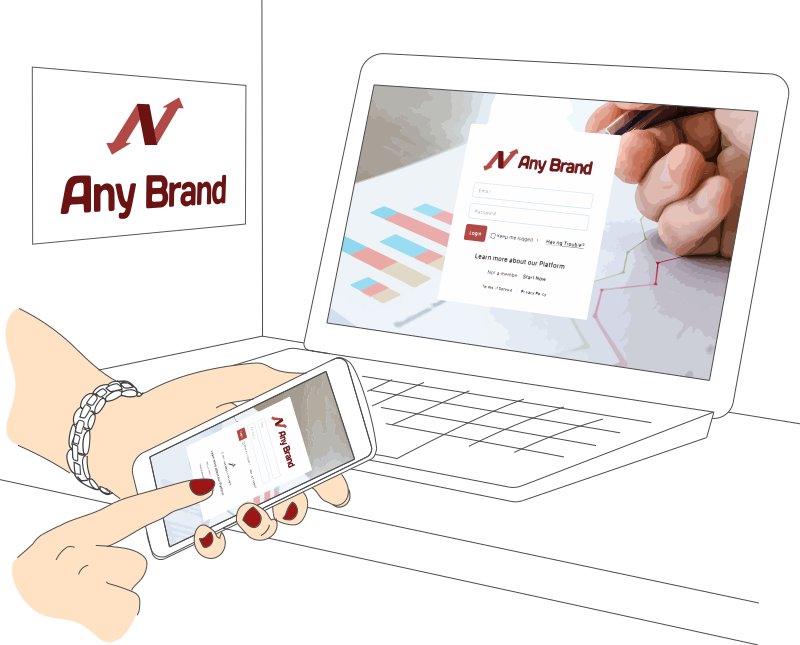
A distinct client-facing URL or subdomain, your logo, your colors, your login page, not the vendor’s UI with a guest badge. Test this by logging in as a client: do they see your brand, or the vendor’s?
2. Granular Permissions That Isolate by Client
Client A must never see Client B’s projects, files, messages, or team-internal comments. Test this rigorously before you commit. Some “portals” expose shared resources by accident when permissions are misconfigured.
3. Internal vs. External View Toggle
Internal notes, estimates, and WIP discussions should stay private by default. Sharing content to the client portal should be an explicit action, not an oversight risk.
4. File Exchange with Approval Workflows
Clients upload deliverables, approve proofs, and e-sign off on milestones, ideally version-controlled and timestamped. A real portal handles this natively; guest-access tools usually don’t.
5. Milestone Visibility Clients Actually Understand
A simple progress view (“You are here”) beats a Gantt chart for non-PMs. Bonus: auto-updates from internal task completion so your team updates project status once, not twice.
6. Time Tracking with Client-Visibility Toggle
Billable hours clients can see (for transparency) vs. internal utilization they can’t (for margin protection). This is a subtle but critical distinction most guest-access tools get wrong.
7. Integrated Invoicing, Estimates, and E-Sign Proposals
If your PM tool can’t send the proposal, generate the invoice, and accept payment, you’re stitching three SaaS tools together and paying an “integration tax.”
8. Automation That Spans Internal PM and Client-Facing Actions
“When task marked done → notify client in portal → generate invoice → send thank-you email” should be one automation, not three Zaps held together with hope.
9. Flat Pricing or Unlimited Users
Per-user pricing punishes agencies that grow or include clients as users. Flat-fee pricing inverts the economics, adding a contractor or onboarding a new client doesn’t trigger a billing change.
10. White-Label on Your Own Domain
Email from you@yourdomain, portal at portal.yourdomain.com, so clients never see the vendor name. This is the actual point of a client portal.

Top PM Tools with Client Portals in 2026
There’s no single best PM+portal tool for every team. Your ideal platform depends on team size, client load, workflow complexity, and how much the “brand-facing” layer matters. Here’s an honest assessment of the leading options.
Basecamp, Simplest PM with a Built-In Client Space
Basecamp has “Clientside” built in, clients see only what you share, and the interface is deliberately simple. Good for teams that want to avoid explaining PM concepts to non-PMs.
Best for: Teams that want the simplest possible PM tool with a client-facing space. Agencies with 5-20 clients running parallel projects.
Strengths: True client-facing Clientside, flat-fee pricing favors larger teams, simple learning curve, no Gantt complexity to explain.
Limitations: No native time tracking, invoicing, or proposals. Very limited customization (no custom fields, views). No real automation engine.
Pricing: Basecamp Plus $15/user/mo. Basecamp Pro Unlimited $299/mo flat for unlimited users and projects. A 10-person team: ~$150/mo on Plus or $299/mo on Pro.
Teamwork.com, Agency-Focused PM with Client Users Free
Teamwork.com is purpose-built for client-services agencies that bill by the hour. Client users are free and get dedicated portal access. Strong built-in time tracking, budgets, retainer tracking, and utilization reports.
Best for: Agencies with dedicated client-delivery workflows where billable hours, budgets, and utilization reporting matter.
Strengths: Free client users, strong time and billing, native invoicing, explicit agency focus, Teamwork Desk integration for client support.
Limitations: Per-user pricing for internal team scales quickly. UI feels dated vs. newer tools. CRM is a separate paid product (Teamwork CRM).
Pricing: Starter $5.99/user/mo, Deliver $10.99/user/mo, Grow $19.99/user/mo, Scale custom. 3-user minimum. A 10-person team on Grow: ~$200/mo annual.
ClickUp, Feature-Rich PM with Guest Permissions
ClickUp packs massive feature breadth (docs, whiteboards, goals, time tracking, forms) and allows “Guests” with view/comment/edit permissions. Broad feature set makes it feel like an all-in-one for internal teams.
Best for: Teams that want one tool to run everything internally and occasionally loop clients in for review.
Strengths: Feature breadth, generous free plan, flexible views, permission-scoped guest access, strong automation recipes.
Limitations: Guest access is not a true branded portal, clients see the ClickUp UI. Heavy interface overwhelms non-PM clients. White-labeling is enterprise-tier only.
Pricing: Free, Unlimited $7/user/mo, Business $12/user/mo, Business Plus $19/user/mo, Enterprise custom. A 10-person team on Business: ~$120/mo.
Monday.com Work Management, Visual PM with Shareable Boards
Monday.com is visually driven, with excellent board/timeline/dashboard UX and strong automation recipes. Shareable boards let you give clients read-only views into select boards.
Best for: Visually-oriented teams running marketing, creative, or operations work where dashboards double as status reports.
Strengths: Best-in-class visual UX, strong automation, extensive app marketplace, good for cross-functional teams.
Limitations: Guest seats require Pro plan ($19/user/mo annual) and count against board-share limits. No real portal concept, clients see raw boards. 3-seat minimum.
Pricing: Free (up to 2 seats), Basic $9/user/mo, Standard $12/user/mo, Pro $19/user/mo, Enterprise custom. A 10-person team on Pro: ~$190/mo.
Wrike, Enterprise PM with Proofing and External Collaborators
Wrike serves mid-to-large professional-services teams needing robust resource management, proofing and approvals (big for creative work), and enterprise security. External collaborators get a free, permission-limited view.
Best for: Mid-sized creative and marketing agencies with structured approval workflows and compliance requirements.
Strengths: Strong proofing and version control, resource management, enterprise security options, rich reporting.
Limitations: Free external collaborators don’t get a branded portal. Interface is dense. Pricing tiers add up fast once you need approvals and analytics.
Pricing: Free, Team $10/user/mo, Business $25/user/mo, Enterprise/Pinnacle custom. A 10-person team on Business: ~$250/mo.
Asana, Polished PM with Limited Client Access
Asana is the cleanest internal PM tool in the category with strong task dependency modeling and a large template library. Guest users can view and edit tasks they’re added to, but there’s no real client portal.
Best for: Internal PM at teams that rarely include clients directly.
Strengths: Clean UI, great dependency modeling, strong workflow builder, massive template library, strong integrations.
Limitations: No client portal, just task-level guest access with no branding. No native invoicing. Guests count against seat limits in higher tiers.
Pricing: Personal free (10 users), Starter $10.99/user/mo, Advanced $24.99/user/mo, Enterprise custom. A 10-person team on Advanced: ~$250/mo.
Plutio, Budget All-in-One for Freelancers
Plutio combines projects, tasks, time, proposals, contracts with e-sign, invoicing, and a branded client portal into a single platform aimed at freelancers and small shops.
Best for: Solo freelancers and 2-3 person shops wanting one tool at a low cost.
Strengths: Affordable all-in-one, built-in proposals and contracts, genuine white-label on higher tiers, clean modern interface.
Limitations: Thin on enterprise features (no serious resource management, weaker reporting), smaller ecosystem, support responsiveness varies.
Pricing: Solo $19/mo (1 user), Studio $39/mo (10 users), Agency $99/mo (30 users). A 10-person team: $39/mo on Studio.
SuiteDash, Built Client-First, Not Guest-Retrofitted
SuiteDash was architected from day one around the client relationship: a branded, white-labeled client portal is the front door, and projects, files, invoicing, and CRM all hang off it. Clients get a coherent experience, not a permission-limited view of your workspace.
Best for: Agencies, consultants, and service businesses that want one platform for CRM + PM + client portal + invoicing with flat pricing and full white-label.
Strengths: First-class client portal with extreme white-label on custom domain at every tier, flat pricing with unlimited users (team and clients), unified PM + invoicing + CRM eliminates integration tax, cross-module automation spans internal and client-facing actions.
Limitations: PM features are solid but less deep than ClickUp’s enterprise-grade offerings (no native whiteboards, fewer PM view types). Not the right tool for internal-only PM use cases where clients never touch the system.
Pricing: Starts at $19/month flat. All features included at every tier, no module upsells. Unlimited users (team and clients) at every tier. See current pricing.

Why SuiteDash Works for Client-Facing Service Businesses
For agencies, consultants, and service businesses whose work directly involves clients, where the portal IS the deliverable experience, SuiteDash collapses the tech stack in ways internal-PM tools can’t.
Client Portal as a First-Class Concept
Most PM tools bolted “guest access” onto an internal workspace. SuiteDash was built around a white-label client portal as the front door. Clients log into app.yourbrand.com on your domain with your logo, see only their projects, and never encounter the vendor’s brand anywhere. This is what a client portal should look like.
One Platform Replaces Your Entire Stack
Running a services business on ClickUp + HubSpot + QuickBooks + PandaDoc + a portal tool means five bills, five logins, five data silos, and a permanent Zapier tab. SuiteDash consolidates CRM, project management, estimates, recurring invoices, proposals with e-sign, email marketing, secure messaging, and file exchange into one subscription.
Flat Pricing Kills the Per-User Tax
At $19/$49/$99 flat per month for unlimited users (team and clients), a 10-person agency pays $99/mo vs. ~$200-$250/mo on Teamwork, Monday, Asana, or Wrike. That gap widens with every new hire, contractor, or client. For service businesses, per-user pricing is a growth tax, flat pricing inverts it.
Cross-Module Automation
When a task is marked done in SuiteDash, one automation can simultaneously: notify the client in their portal, generate the milestone invoice, trigger a deliverable approval request, send a thank-you email, and update the project dashboard. No Zapier, no middleware, no “if this breaks, everything stops” fragility.
Resell Your Agency’s Workflow as Software
The SU1TE Partner Program lets agencies productize their delivery process as a branded software offering. Instead of reselling generic CRM to clients, you resell YOUR agency’s workflow configured as software at wholesale ($14-$69/mo per customer account). No other PM+portal platform supports this.
Best Picks by Buyer Type
Different team models have different PM+portal priorities. Here’s how the top platforms align.
Solo Freelancer
Priority: one tool for proposals, projects, invoicing, and client portal. Budget is tight. Every per-user fee hurts.
Top picks: SuiteDash Start ($19/mo, all-in-one, unlimited users), Plutio Solo ($19/mo), Basecamp Plus ($15/user/mo).
Small Agency (2-10 People)
Priority: scale gracefully as team grows. Client count is high relative to team. Margin protection matters.
Top picks: SuiteDash Thrive ($49/mo flat), Basecamp Pro Unlimited ($299/mo flat), Teamwork Deliver.
Mid-Size Agency (10-50 People)
Priority: resource management, utilization reporting, automation depth. Per-user pricing starts to dominate cost decisions.
Top picks: SuiteDash Pinnacle ($99/mo flat), Teamwork Grow, ClickUp Business.
Consulting Firm
Priority: retainer tracking, utilization reporting, compliant document exchange with clients.
Top picks: SuiteDash Pinnacle, Teamwork Grow, Wrike Business.
Creative / Design Studio
Priority: proofing, approvals, version control, branded presentation to clients.
Top picks: SuiteDash Pinnacle, Wrike Business for approval workflows, Plutio Studio for solo-to-small creative shops.
PM with Client Portal Pricing Comparison
Pricing is where PM+portal decisions get expensive fast. Per-user fees, guest seat limits, and per-module upsells mean the advertised starting price rarely reflects what a 10-person agency actually pays. Here’s the realistic breakdown.
SuiteDash
Start $19/mo. Thrive $49/mo. Pinnacle $99/mo. All features included at every tier, differences are in storage and volume limits. Unlimited users at every tier, a 20-person agency pays the same as a 3-person one. See full pricing.
Basecamp
Plus $15/user/mo → ~$150/mo for 10 users. Pro Unlimited $299/mo flat for unlimited users, better math for teams over 20 people.
Teamwork.com
Deliver $10.99/user/mo → ~$110/mo for 10 internal users. Grow $19.99/user/mo → ~$200/mo. Client users free at all tiers.
ClickUp
Business $12/user/mo → ~$120/mo for 10 users. Guest access included but white-label requires Enterprise tier.
Monday.com
Pro $19/user/mo → ~$190/mo for 10 users. Guest seats count against limits, 3-seat minimum at all tiers.
Wrike
Business $25/user/mo → ~$250/mo for 10 users. External collaborators free but no branded portal.
Asana
Advanced $24.99/user/mo → ~$250/mo for 10 users. Guest access has no branding layer.
Plutio
Studio $39/mo for 10 users. Affordable but feature depth is more limited than SuiteDash.
The Real Cost Comparison for a 10-Person Agency
- SuiteDash (unlimited users, all features): $99/month flat
- Basecamp Pro Unlimited: $299/month flat
- Plutio Studio: $39/month
- ClickUp Business: $120/month (no white-label)
- Teamwork Grow: $200/month
- Monday.com Pro: $190/month (guests count against limits)
- Wrike Business: $250/month (no branded portal)
- Asana Advanced: $250/month (no portal)
How to Choose the Right PM + Portal Tool
Start with your primary pain point, not a feature checklist.
If your team is growing and per-user pricing is crushing you…
You’re hiring contractors, onboarding new clients, and every added user triggers a billing increase. Look at SuiteDash ($19-$99/mo flat with unlimited users) or Basecamp Pro Unlimited ($299/mo flat). These invert the growth tax.
If client experience IS your deliverable…
You’re an agency or consulting firm where the client portal reflects your brand, and clients judge you by what they log into. Look at SuiteDash, the only option in this list with real first-class white-label on every tier.
If you want to avoid teaching PM to clients…
Your clients are non-PMs. They need a simple progress view, not a Kanban board. Look at Basecamp (Clientside is deliberately simple) or SuiteDash (milestone-based client views).
If you need billable hours, utilization, and retainer tracking…
Your business is billable-time-based. Look at Teamwork.com (agency-focus) or SuiteDash (integrated time + invoicing + CRM).
If you have complex creative approval workflows…
You run design rounds, ad-creative reviews, or other visual proofing loops. Look at Wrike (best proofing in the category) or SuiteDash (file approval workflows with timestamp audit).
If you want to resell your agency’s workflow as software…
You want to productize your process into a branded software offering for your audience. Look at SuiteDash with the SU1TE Partner Program, no other PM+portal platform supports wholesale resale to your own customers.
PM Software with Client Portals: Frequently Asked Questions
Which project management tool has the best client portal?
It depends on what “best” means. For true first-class white-label branding, SuiteDash is the leader, clients log into your domain with your brand at every tier. For simple unbranded client-facing spaces, Basecamp’s Clientside feature is the easiest to use. Teamwork.com offers free client users. ClickUp, Monday, Asana, and Wrike provide guest access that exposes their UI and branding to clients, functional but not a branded portal.
Is Basecamp good for agencies?
Basecamp works for agencies that prioritize simplicity over features. Clientside is a real client-facing space, flat pricing favors larger teams, and the “no Gantt, no complexity” philosophy is easy to explain to clients. Limitations: no native time tracking, invoicing, or automation. Agencies needing billable-hours, proposals, and CRM on top need additional tools. For all-in-one agency operations, SuiteDash or Teamwork.com are better fits.
Can clients see projects in Asana?
Guest users in Asana can view and edit tasks they’re directly added to. There is no project-level client portal, no branding control, no scoped “client home,” and clients see the Asana UI with Asana branding. If client experience matters, and especially if you want a branded portal on your own domain, Asana is not the right fit. Look at SuiteDash, Basecamp, or Teamwork instead.
Monday.com vs. ClickUp for agencies, which wins?
Both are internal-first PM tools with guest access retrofitted. Monday wins on visual UX and board aesthetics for non-PM viewers. ClickUp wins on feature breadth and price ($12 vs $19/user/mo). Neither offers true white-label below enterprise tier, and neither has integrated invoicing or proposals. For agencies where the client portal is a brand touchpoint, SuiteDash is a better fit. For teams where PM is purely internal with occasional client loops, ClickUp usually wins on flexibility.
How do agencies share project status with clients without giving them full access?
The best approach is a tool with real permission scoping and a branded client portal. SuiteDash lets you expose specific projects, files, and messages to each client while keeping internal discussions, margins, and team-only tasks private. Basecamp’s Clientside works similarly but with simpler scoping. Guest-access tools like ClickUp and Asana expose more than agencies typically realize, test rigorously before relying on them.
What is a client-facing project management tool?
A client-facing PM tool is one where clients have their own login, see only their projects and files, and interact through a purpose-built portal, not a guest view of your workspace. The distinction matters: in a true client-facing tool, the portal is a first-class surface with its own UX, branding, and permission model. SuiteDash, Basecamp (Clientside), and Teamwork.com are built this way. Most other PM tools (Asana, Monday, ClickUp, Wrike, Jira) are internal-first with bolted-on guest access.
Do I need a separate client portal, or can I use guest access?
If client experience affects your positioning, i.e., you want clients to see your brand, not the PM tool’s brand, you need a real client portal. If clients never log in and only receive email updates, guest access works fine. The split question: “Does my client ever log in somewhere to see their project?” If yes, that login screen is a branding moment. Most agencies want that moment branded.
What’s the cheapest PM tool with a white-label client portal?
SuiteDash at $19/month (Start tier) is the cheapest option that includes true white-label on your custom domain. Plutio Solo ($19/mo) offers basic white-label at one user. Basecamp Plus doesn’t offer custom domain branding. Teamwork and Wrike require enterprise tiers for white-label. Most per-user tools gate white-label behind enterprise pricing, making SuiteDash the outlier for small-team affordability.
Can clients approve deliverables inside a project management tool?
Some tools handle this natively. Wrike has purpose-built proofing and approval workflows. SuiteDash has file-approval with e-signature and timestamp audit. ClickUp and Monday have approval automation recipes but no dedicated proofing UX. Asana requires integrations. Basecamp handles it through messaging rather than structured approval. For creative/design work, Wrike is strongest; for general document and milestone approvals, SuiteDash is solid.
Which PM software includes invoicing and proposals natively?
SuiteDash includes CRM, estimates, invoices, and proposals with e-signature natively, no separate tool. Teamwork.com includes invoicing. Plutio includes proposals and invoices. Most other PM tools (Asana, Monday, ClickUp, Wrike, Basecamp) require separate invoicing (QuickBooks, FreshBooks) and proposals (PandaDoc, Better Proposals). Integrating those adds ~$100-$300/mo in additional tools.
Explore More Agency and Consulting Resources
Choosing the right PM+portal tool is one piece of building efficient client operations. Explore how SuiteDash supports client-facing service businesses:
Project Management + Invoicing, Unified PM and billing in one tool.
White-Label Client Portal, Brand your entire client experience under your identity.
CRM Software, Client-relationship and pipeline management integrated with PM.
Estimates, Invoices, Recurring Billing, Proposal-to-payment in one workflow.
Automation Across Modules, One trigger, many actions spanning PM, invoicing, and client-portal.
SU1TE Partner Program, Resell your agency’s workflow as branded software.
SuiteDash Pricing, Flat pricing, unlimited users.
Common questions
Is there project management software clients can log into to see progress?
Yes, and that is the specific gap this category exists to fill. Most project management tools are built for the internal team, so showing a client progress means exporting a status report, granting a guest seat, or copying updates into email. Software with a genuine client portal gives the client their own branded login, where they see the projects that belong to them and nothing else.
In SuiteDash the client logs in on your domain, under your branding, and sees live project status, milestones, tasks assigned to them, files, invoices and messages in one place. Because the portal reads the same records your team works in, there is no publishing step and no client-facing copy to keep updated. What your team changes, the client sees.
What can a client actually see when they log in?
Exactly what you decide, and no more. Visibility is controlled through Circles, a single platform-wide permission model, so a client sees their own projects, their own files and their own invoices. Internal task notes, staff assignments, margins and other clients stay invisible. You configure that once, rather than once per tool.
Do clients need a paid seat to log in and see progress?
No. SuiteDash is flat rate with unlimited users on every plan, so client logins add no cost. That matters more than it first appears: on per-seat project tools, giving every client visibility is a decision with a monthly price attached, which is usually why clients end up receiving a PDF status report instead of a login.
How is this different from sharing a project board with a guest?
A guest seat shows the client your workspace, styled as the vendor’s product, exposing whatever that sharing model happens to expose. A client portal shows them your product: your domain, your logo, your colours, a login page you control, and a scope defined by permission rather than by what you remembered to hide. It also carries the rest of the relationship, so invoices, contracts, files and support sit beside the project instead of in four other tools.