Best CRM for Consultants (2026)
The Right CRM for Client-Driven Consulting Practices
Consulting practices need more than a sales pipeline. You need proposal management, retainer billing, project delivery, and a client portal — all connected to the same contact record. This guide compares the top 6 CRM options for consultants in 2026.
Consulting practices don’t sell widgets. You sell expertise, relationships, and outcomes. That makes CRM selection a very different exercise than it is for a product sales team. The best CRM for a consultant isn’t the one with the flashiest pipeline view — it’s the one that can carry a client from first discovery call through signed engagement, active delivery, and recurring retainer without forcing you to maintain parallel systems.
Sales-team CRMs like Salesforce and HubSpot are built around fast-moving deals, marketing funnels, and quota visibility. That model doesn’t match how most consulting engagements actually work. Consulting deals have long qualification cycles, multiple decision-makers, customized scoping, and deliverables that stretch across months or years. Pipeline tracking is only one piece of the picture.
A consultant’s CRM needs to live at the intersection of three functions: sales (tracking prospects through long, relationship-driven cycles), delivery (managing the active client work you’ve already won), and client experience (the portals, documents, and communication clients actually see). Tools built for product sales teams usually handle only the first.
SuiteDash was built specifically for service businesses like consulting firms, with CRM as one module alongside projects, retainer billing, automation, proposals, and a branded client portal. But it’s not the only option worth considering — this guide gives a fair assessment of all six.
Why Consultants Need a Different Kind of CRM
Most CRM software is designed for fast-moving sales teams: SDRs qualifying inbound leads, AEs closing transactional deals, managers pulling forecast reports. That model doesn’t reflect the reality of a consulting practice, where the same person often owns the relationship from first introduction through final deliverable.
1. Long, Relationship-Driven Sales Cycles
Consulting engagements rarely close in a week. A strategy project might take 3-6 months of conversations. A new retainer might take a year of nurturing. Your CRM needs to surface the right follow-up at the right time — not push deals through a pipeline faster.
Why it matters: Tools optimized for speed (like Pipedrive) can actually work against you by treating long cycles as stalled deals.
2. Proposal and Scope Management
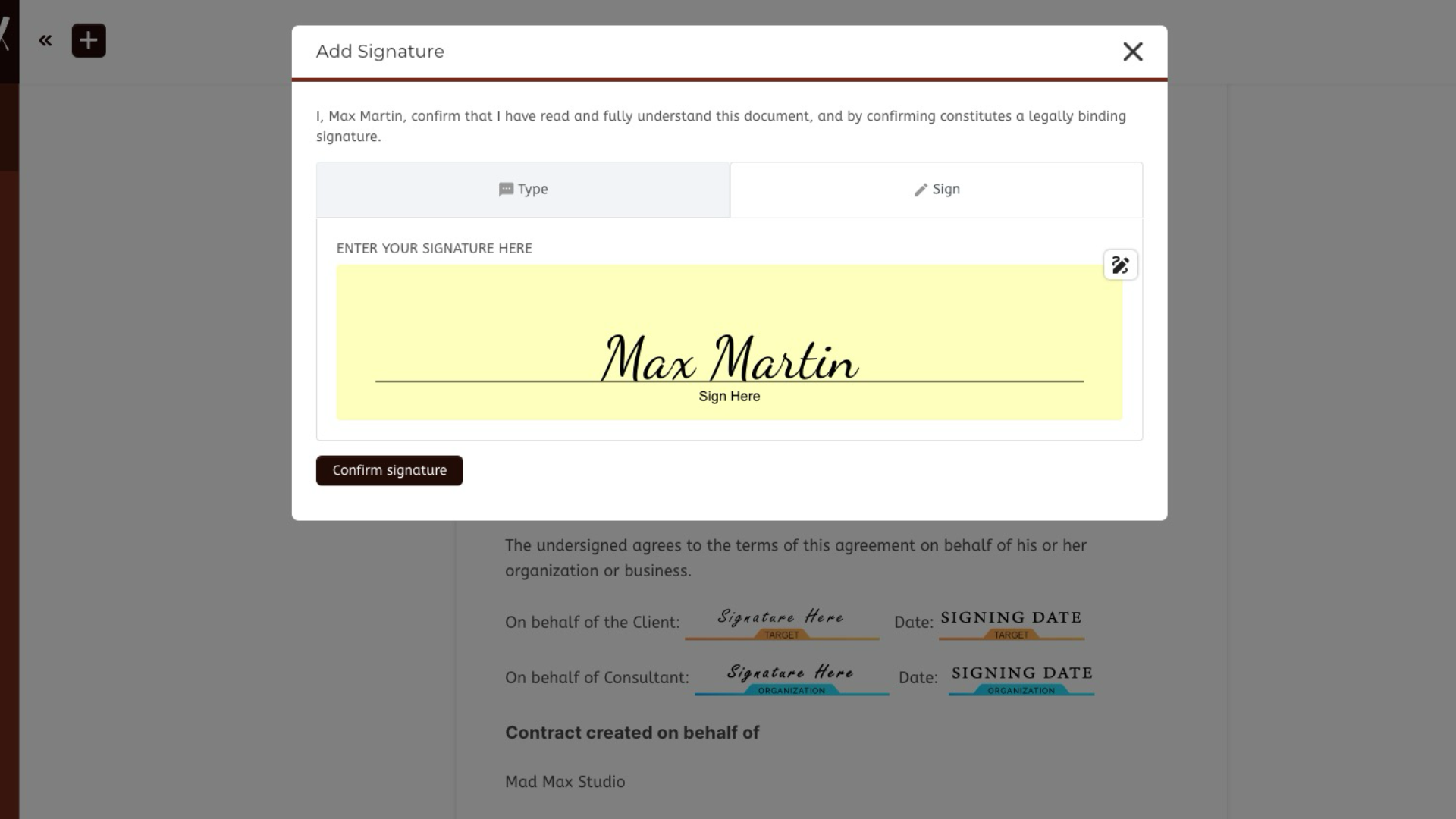
Every consulting engagement has a custom scope. You’re not sending one-click order forms — you’re building proposals, drafting SOWs, negotiating fees, and capturing signatures. A consultant’s CRM should make proposal creation and e-signature part of the same workflow as pipeline tracking.
Why it matters: Proposal management is usually the biggest time sink for consultants. If your CRM forces you out to a separate tool (PandaDoc, DocuSign, Proposify) to get a signature, you lose context.
3. Project and Delivery Tracking
Unlike product sales, closing a consulting deal is the starting line, not the finish line. After “closed won,” you have tasks, milestones, team allocation, client deliverables, and progress reporting to manage for weeks or months.
Why it matters: A CRM that doesn’t connect to project management forces you to rekey contacts, projects, and deliverables into a second system — and consulting firms typically do this for every client.
4. Retainer and Recurring Billing
Many consulting practices run on monthly retainers, hourly billing, or milestone-based invoicing. Your CRM — or the tools it integrates with — needs to handle recurring invoices, hour tracking, retainer balance reporting, and payment follow-up without breaking.
Why it matters: Sales-first CRMs assume the deal is “done” at closed-won. Consulting is where the revenue actually begins.
5. Client Portal and Document Management
Clients don’t just want email updates. They want a single place to see deliverables, approve documents, share files, and track project progress. A modern consulting practice delivers this through a branded client portal, not a shared Dropbox folder.
Why it matters: Client experience is now a differentiator. Consultants who look polished get retained, renewed, and referred.
6. Confidentiality and Access Control
Consulting work often involves sensitive data — financial, strategic, legal, HR. You need granular permissions so team members only see the clients they’re assigned to, and clients only see their own materials.
Why it matters: Public-by-default CRMs create real risk when you’re handling confidential strategic engagements.
Why Generic Sales CRMs Fall Short
A typical consulting firm using a sales-first CRM ends up running 5-7 disconnected tools: CRM for pipeline, PandaDoc for proposals, Asana for projects, QuickBooks for billing, Google Drive for files, email for client updates, and a spreadsheet to tie it all together. Context lives in seven different places, and partners spend their time reconciling tools instead of serving clients. An integrated consulting CRM collapses that stack into one platform and one shared data layer.

What to Look For in a Consultant CRM
When evaluating CRM software for a consulting practice, these are the capabilities that matter most — in priority order for how consultants actually work.
Pipeline Management Built for Long Cycles
A pipeline that handles 3-12 month sales cycles without treating every slow-moving deal as “stalled.” You want custom stages that reflect your real process (Discovery, Scoping, Proposal, Negotiation, Onboarding), not generic “Prospecting / Demo / Close” stages designed for SaaS sales.
Proposal Management and E-Signature
Build, send, and get signatures on proposals and SOWs from inside the CRM. No exporting to Word, no bouncing to DocuSign, no rekeying signed terms into a project tool. The signed proposal should trigger project creation, invoice scheduling, and client onboarding automatically.
Project and Delivery Management
Once a deal closes, the same contact record should carry into active project management — tasks, milestones, team assignments, time tracking, and status reporting. Integrated project management eliminates the “who’s this client again?” problem when handing off from sales to delivery.
Retainer and Recurring Billing
Monthly retainers, fixed-fee milestones, hourly billing, and block-of-hours arrangements are all standard in consulting. Your CRM ecosystem needs to support automatic recurring invoicing, retainer balance tracking, payment reminders, and reporting on realized vs. unrealized revenue.
Client Portal for Every Engagement
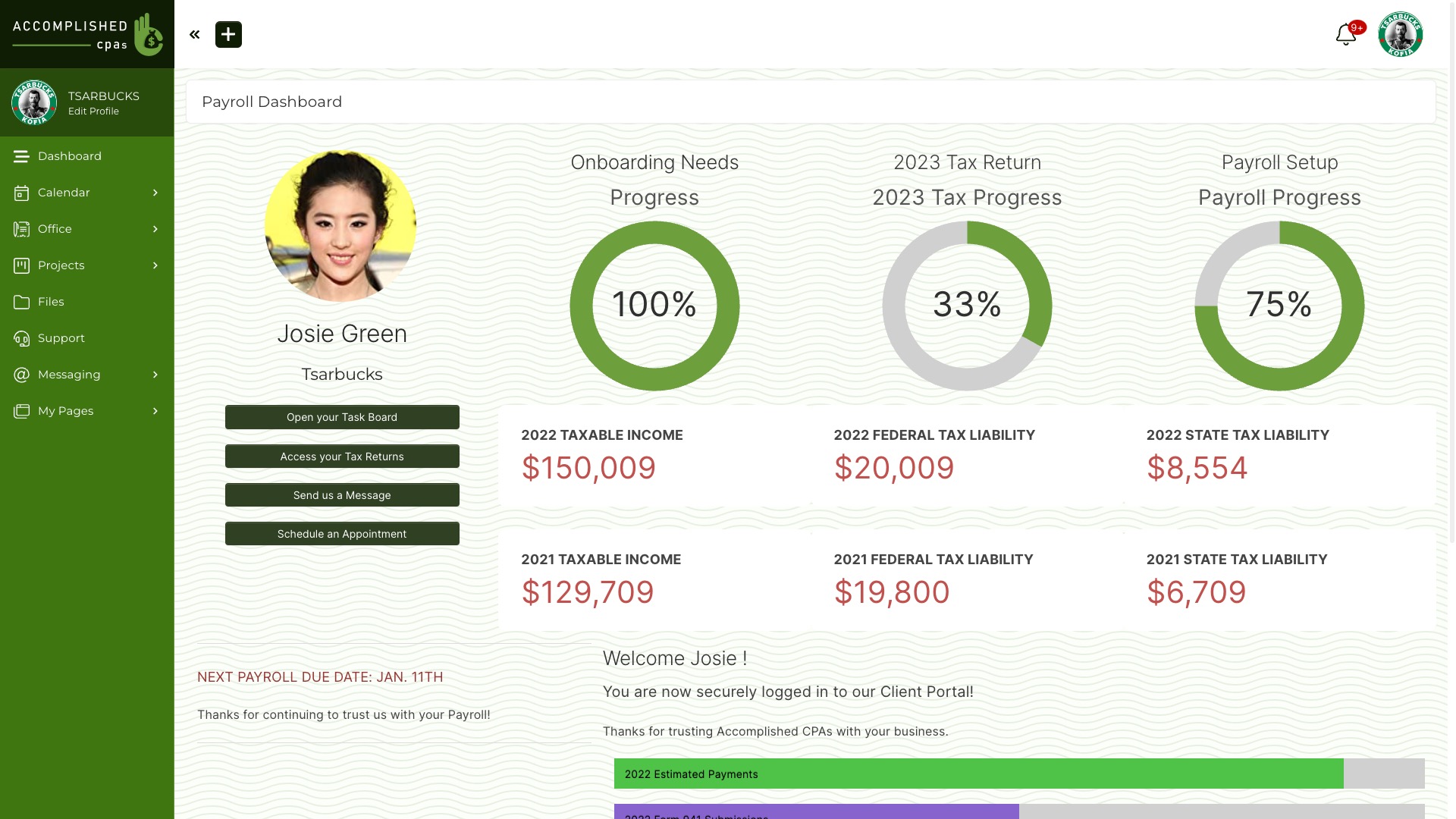
A branded client portal where every client logs in to see their own documents, deliverables, invoices, project status, and messages. This is the difference between looking like a two-person shop and looking like a polished firm.
Document and File Management
Secure file sharing tied to the contact record. Contracts, deliverables, research notes, and client-uploaded files all live in one place — organized by client, versioned, searchable, and accessible by the team members assigned to that account.
Automation Across the Engagement Lifecycle
Automations that don’t stop at pipeline. When a proposal is signed, spin up the project, generate the welcome kit, start the recurring invoice schedule, and enroll the client in the onboarding sequence — all in one workflow, triggered from a single event.
White-Label and Branding
Your clients should see your brand, not your software vendor’s. Custom domain, logo, color scheme, and email sender — a true white-label CRM presents your firm as the platform, not a reseller.
User Roles and Confidentiality
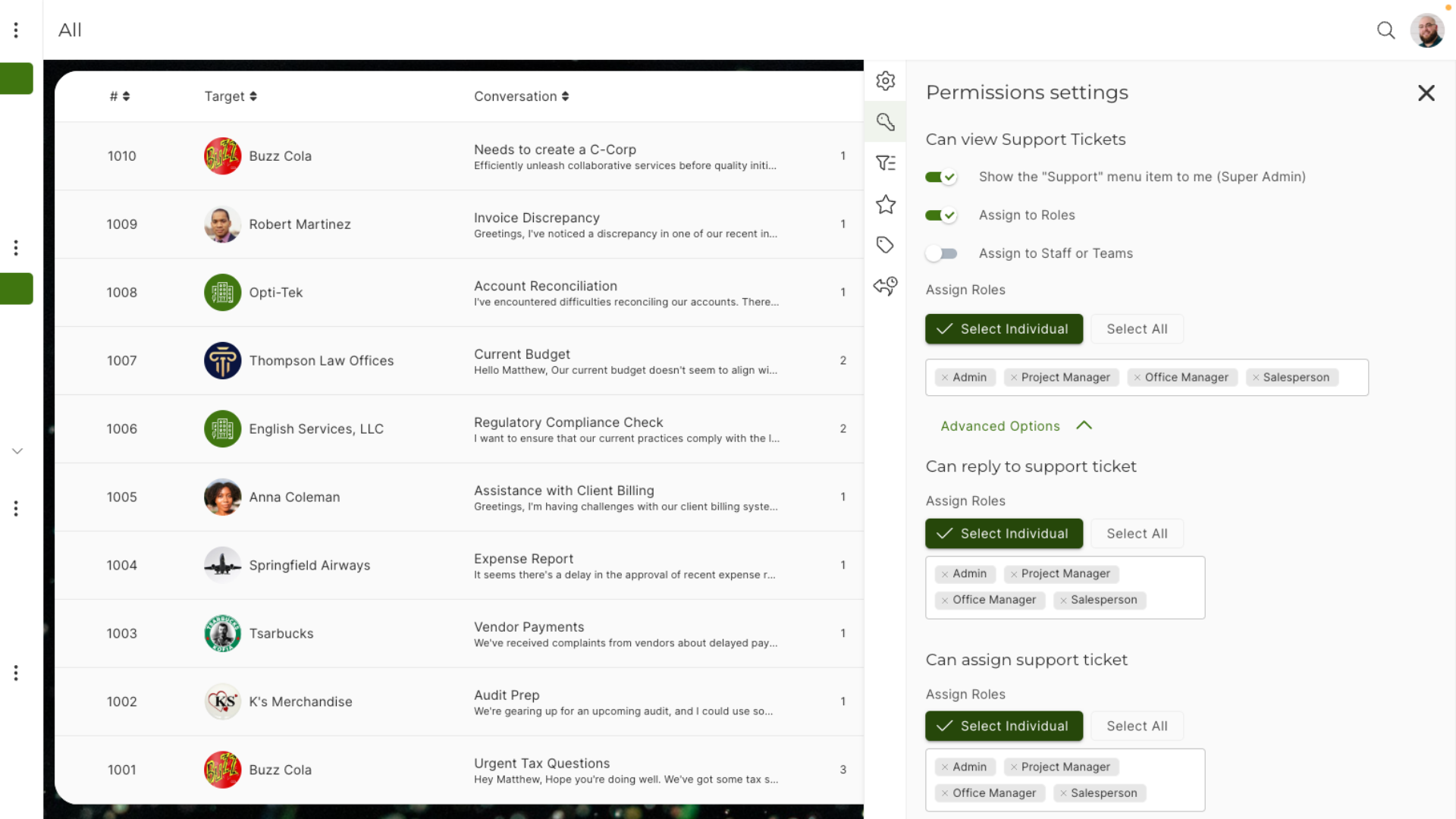
Granular permissions so analysts see only their assigned accounts, partners see everything, and clients see only their own workspace. Consulting engagements frequently involve confidential data, and your CRM must enforce that boundary.
Reporting for Partners and Principals
Reports that answer consulting-specific questions: pipeline by service line, average engagement size, utilization by consultant, retainer renewal rate, revenue per client. Generic sales reports don’t tell you whether your firm is healthy.

Top 6 CRM Options for Consultants in 2026
The consulting CRM landscape is crowded, and no single product fits every practice. Below is a fair assessment of six platforms consultants actually evaluate — what each does well, where each falls short, and which type of consulting firm each is suited for.
1. SuiteDash — Best All-In-One for Service-Based Consulting
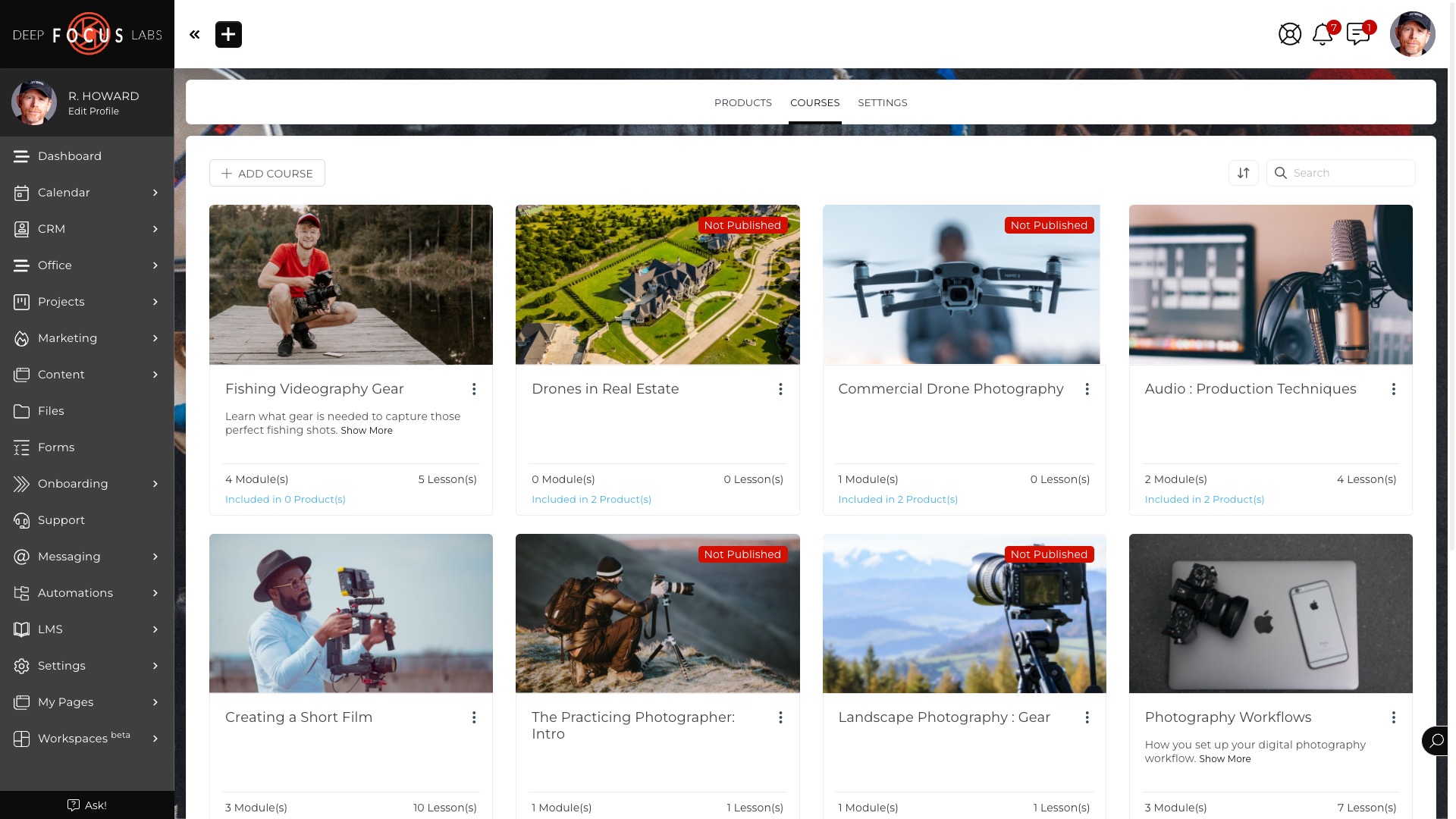
SuiteDash was built specifically for service businesses like consulting firms, design studios, and agencies. CRM is one module alongside proposals, projects, invoicing, client portal, LMS, file sharing, and automation — all sharing one shared data layer.
Where it wins: Consultants who want a single system to run the whole firm (sales + delivery + billing + client portal) without integrating 5-7 tools. White-label client portal, retainer billing, and integrated project management are built in.
Where it doesn’t: SuiteDash is not the right choice if you already have a mature Salesforce or HubSpot deployment and only want to bolt on a client portal — it’s designed to be your primary platform, not a sidecar.
Best for: Independent consultants, boutique consulting firms, and agencies with 1-50 team members.
2. HubSpot — Best for Consultants Running Heavy Inbound Marketing
HubSpot is the strongest platform for marketing-driven consulting practices. If you publish content, run webinars, nurture inbound leads, and track multi-touch attribution, HubSpot’s marketing tooling is genuinely best-in-class.
Where it wins: Marketing automation, email nurturing, blog + landing page + form tooling, lead scoring, and attribution reporting. If inbound is your primary growth channel, HubSpot is hard to beat.
Where it doesn’t: Pricing escalates aggressively as you add Sales Hub, Service Hub, and CMS Hub modules. No native project management, no invoicing, no client portal. You’ll still need 3-4 other tools. See the SuiteDash vs HubSpot comparison for a deeper breakdown.
Best for: Consultants with meaningful inbound marketing operations and the budget to run a multi-Hub stack.
3. Monday.com — Best for Consultants Who Live in Kanban
Monday.com is project-management-first with a CRM layer built on top. Highly visual, highly flexible, and easy for teams to adopt — if you already think in boards and columns.
Where it wins: Visual customization, flexible workflow boards, strong project tracking, and a UI consultants tend to like. Good for teams that want to bend a CRM to their own process rather than adopt a prebuilt one.
Where it doesn’t: The CRM component is add-on functionality, not the core product. Client portal is limited, no native proposals or e-signature, and retainer billing requires outside tools. See the SuiteDash vs Monday comparison for specifics.
Best for: Consulting teams that want a flexible workspace more than a purpose-built CRM, and are willing to integrate billing and proposals separately.
4. Salesflare — Best for Solo Consultants and Small Teams
Salesflare is a lightweight, automation-friendly CRM designed for small B2B teams. Strong email integration, low setup overhead, and a clean interface make it a favorite of solo consultants and 2-3 person practices.
Where it wins: Automatic contact enrichment, email tracking, minimal manual data entry, and fast onboarding. For a solo consultant who just needs to know “who’s in my pipeline and when did I last talk to them,” Salesflare does this well.
Where it doesn’t: No project management, no client portal, no proposal tooling, no retainer billing. Salesflare is specifically a sales CRM — once a deal closes, you’re on your own for delivery.
Best for: Solo consultants and 1-3 person teams who want a clean sales-only tool and are running delivery elsewhere.
5. OnePageCRM — Best for Action-Oriented Solo Consultants
OnePageCRM takes a simple, opinionated approach: every contact has a Next Action, and your day is organized around completing those actions. It’s a productivity-first sales tool.
Where it wins: Simplicity, follow-up discipline, and low cost. Consultants who have tried (and abandoned) more complex tools often stick with OnePageCRM because it’s focused and fast.
Where it doesn’t: No project management, no client portal, no proposal workflow, no retainer billing, limited reporting. It’s a contact + next-action tool, not a platform for running an entire consulting practice.
Best for: Solo consultants and independent practitioners whose main CRM problem is “I keep forgetting to follow up.”
6. Pipedrive — Best for Consultants Who Want Pipeline Discipline
Pipedrive is a sales-first CRM built around pipeline visualization and activity-based selling. Popular with sales teams that need clear, visual deal management and strong rep accountability.
Where it wins: Excellent pipeline UX, strong deal tracking, reasonable pricing, and a focused feature set that doesn’t overwhelm. If your primary CRM need is “track my deals better,” Pipedrive is a solid choice.
Where it doesn’t: Built for product/sales-team workflows, not consulting delivery. No client portal, no native proposals, and project management requires add-ons. Pipedrive is a good pipeline tool that you’ll need to wrap with 3-4 other products.
Best for: Consulting firms with a dedicated sales function that’s separate from delivery — where sales reps own the pipeline and a different team runs projects.

Why SuiteDash Works for Consulting Practices
SuiteDash isn’t trying to be the best enterprise sales CRM. Salesforce holds that position, and for large deal-heavy sales organizations, that’s the right tool. SuiteDash has a different purpose: to be the operating system of a small-to-mid-market service business, which is exactly the shape of most consulting practices.
1. One Contact Record, Every Role
In most CRMs, a prospect, client, vendor, and partner are separate records in separate systems. In SuiteDash, one contact can be a prospect (in your pipeline), a client (with active projects), a vendor (you invoice from), and a teammate simultaneously. No duplicates. No conflicting data. One source of truth across the whole engagement lifecycle.
2. Proposal to Project to Invoice in One Workflow
When a proposal is signed, a single automation can create the project, kick off the welcome sequence, schedule the recurring retainer invoice, provision the client’s portal workspace, and notify the assigned partner. No handoff tickets, no rekeying, no integration breakage.
3. White-Label Client Portal by Default
Every client gets a branded portal at your custom domain with your logo, your colors, and your email sender. Clients see your firm as the platform — not SuiteDash, not a vendor logo. For a consulting practice, this is the difference between looking like a solo operator and looking like a proper firm. See white-label CRM for how the branding works.
4. Retainer Billing Built In
Monthly retainers, block-of-hours arrangements, fixed-fee milestones, and hourly billing all work natively — with automatic invoicing, payment reminders, and balance tracking. No QuickBooks integration required for the basics.
5. Flat Pricing, No Module Fees
SuiteDash pricing is flat and all-inclusive. Every plan includes CRM, projects, invoicing, proposals, client portal, automation, email marketing, file sharing, and LMS. There’s no “Sales Hub” upsell or “Service Hub” upsell to worry about as the firm grows.
Real Example: Independent Strategy Consultant
A strategy consultant signs a new engagement on a Monday. In a traditional tool stack, that means: logging into the CRM to mark the deal won, switching to DocuSign to archive the signed SOW, opening Asana to create a project template, going to QuickBooks to set up a recurring invoice, uploading the signed contract to Dropbox, and manually composing a welcome email.
In SuiteDash, the signed proposal triggers one automation: the project template spins up, the welcome kit is sent, the recurring retainer invoice is scheduled, the client portal workspace is activated, and the consultant gets a clean handoff notification. Same outcome, zero context switching.
CRM for Consultants by Practice Type
Not every consulting practice has the same CRM needs. Here’s how the top options map to different types of consulting firms.
Management Consulting
Long cycles, multiple stakeholders, and deeply customized engagements. Management consultants need strong proposal tooling, tight confidentiality controls, and a polished client portal for deliverables. SuiteDash and HubSpot are the strongest fits, with HubSpot leaning toward firms with heavy content marketing and SuiteDash leaning toward firms that want integrated delivery. See the consulting journey for a detailed walkthrough.
IT and Technology Consulting
Project-heavy work with frequent handoffs between sales, solutioning, and delivery. Need strong project management, time tracking, and retainer billing for managed services. SuiteDash and Monday.com both work here; Monday.com is stronger if your team lives in Kanban, SuiteDash if you also need integrated billing and a client portal.
Financial and Tax Consulting
High confidentiality, recurring engagements, and document-heavy workflows. Client portal and secure file sharing are non-negotiable. SuiteDash is a strong fit because of the integrated client portal, document vault, and retainer billing. HubSpot can work for larger firms, but requires separate tools for document exchange.
Strategy Consulting
Long relationship-building cycles, custom-scoped engagements, and senior stakeholders. Proposal tooling, pipeline discipline, and confidential document handling matter more than marketing automation. SuiteDash fits boutique strategy firms; Pipedrive or HubSpot suits larger firms with dedicated business development teams.
Independent and Solo Consulting
Budget is tight, time is tighter, and tool sprawl is the biggest problem. Independent consultants benefit most from all-in-one platforms. SuiteDash, Salesflare, and OnePageCRM are the three most commonly chosen — SuiteDash if you want one platform for the whole practice, Salesflare and OnePageCRM if you just need pipeline and are running delivery through other tools.

Pricing Comparison for Consultants
CRM pricing for consultants is deceptive. The headline number on the website is rarely what you end up paying, because a consulting practice almost always needs proposals, projects, invoicing, and a client portal — not just pipeline. Here’s what each option actually costs to run a consulting practice.
Per-User Sales CRMs (Add Tools to Match Consulting Needs)
Pipedrive: $29-99/month per user for CRM. Add proposals (PandaDoc ~$35/month), projects (Asana ~$11/user/month), invoicing (QuickBooks ~$30-85/month), client portal (SuiteFiles or custom ~$15-30/user/month). Real cost for a 3-person consulting firm: roughly $250-400/month.
Salesflare: $29-49/month per user for CRM. Same add-on stack applies — proposals, projects, invoicing, portal. Real cost for a 3-person consulting firm: roughly $220-380/month.
OnePageCRM: $15-25/month per user for CRM. Same add-on stack. Real cost for a 3-person consulting firm: roughly $180-330/month.
Hub-Based CRM (Pay Per Module)
HubSpot: Free tier exists but is limited. Professional tier starts around $100/month per seat for Sales Hub and rises steeply with Marketing Hub, Service Hub, and CMS Hub. Add projects and invoicing (not native) on top. Real cost for a 3-person consulting firm on a serious HubSpot setup: $500-2,000+/month.
Monday.com: $12-24/user/month for the core product, plus the CRM add-on. Add proposals, invoicing, and client portal separately. Real cost for a 3-person consulting firm: roughly $200-350/month.
All-in-One Platform (One Flat Price)
SuiteDash: Flat monthly pricing that includes CRM, proposals, projects, invoicing, client portal, automation, email marketing, file sharing, and LMS. No per-module fees, no surprise upsells. See the SuiteDash pricing page for current plans.
How to Think About Consulting CRM Cost
Don’t compare CRM sticker prices. Compare the total cost of every tool you actually need to run a consulting practice: pipeline, proposals, projects, invoicing, portal, file storage, and automation. Most consulting firms running a sales-first CRM stack end up at $300-800/month across 5-7 tools. An all-in-one platform typically comes in below that with fewer integrations to maintain.
CRM for Consultants: Frequently Asked Questions
What CRM do consultants actually use?
Consultants use a broader mix of CRMs than most categories. Solo consultants and small practices often run Salesflare, OnePageCRM, or Pipedrive for simple pipeline management. Mid-sized consulting firms with marketing operations tend to use HubSpot. Service-focused firms that want integrated delivery, proposals, retainer billing, and a client portal typically choose SuiteDash or Monday.com. Enterprise consulting firms (Big Four, large management consultancies) run Salesforce because of its depth and industry-specific integrations. The best CRM for your practice depends more on how you deliver client work than on how you sell.
Is HubSpot good for consultants?
HubSpot is genuinely strong for consultants who run serious inbound marketing — blogs, lead magnets, webinars, newsletters, and nurture campaigns. Its marketing automation and attribution reporting are industry-leading. Where HubSpot falls short for consulting is everything after the sale: no native project management, no proposal tooling, no invoicing, no client portal. Consultants on HubSpot typically end up with a stack of 4-5 additional tools. If inbound is your primary growth channel and you have budget for multiple Hubs, HubSpot makes sense. If you want one platform that handles sales through delivery, an all-in-one like SuiteDash is usually a better fit. See the SuiteDash vs HubSpot comparison for detail.
How much should a consultant spend on CRM?
A realistic CRM budget for a consulting practice is 1-3% of annual revenue, with the exact number depending on firm size and tool sprawl. Solo consultants should be in the $20-60/month range for pipeline tooling. Small consulting firms (2-5 people) typically land at $150-400/month across CRM, proposals, projects, invoicing, and portal — either bundled into an all-in-one or split across 5-7 tools. Mid-sized consulting firms (5-25 people) generally spend $400-1,500/month across their full stack. The important comparison isn’t CRM sticker price but total cost of everything you need to run the practice.
Can CRM handle retainer clients?
Most sales-first CRMs (Pipedrive, Salesflare, OnePageCRM, HubSpot Sales Hub) do not natively handle retainer clients — they’re built around winning the deal, not managing the ongoing relationship. You’ll need separate tools for recurring invoicing, retainer balance tracking, and project delivery. All-in-one platforms like SuiteDash handle retainers natively: recurring invoices, balance tracking, project allocation, and client portal reporting are all part of the same system. If retainers are a meaningful part of your revenue, an integrated platform will save significant time over a sales-CRM-plus-accounting-tool stack.
Do I need a CRM as a solo consultant?
Yes, but the CRM you need is much simpler than what a multi-person firm needs. A solo consultant’s core pain points are remembering to follow up, tracking where each conversation stands, and avoiding losing a promising prospect to inattention. A lightweight sales CRM like OnePageCRM or Salesflare solves this for $15-30/month. If you also want integrated proposals, retainer invoicing, and a branded client portal — which many solo consultants do, to look more established — an all-in-one like SuiteDash replaces 4-5 tools at once. The question is less “do I need CRM?” and more “how much of my practice do I want on one platform?”
What’s the difference between sales CRM and consulting CRM?
A sales CRM is built for one job: moving deals through a pipeline as quickly as possible. Think Pipedrive, Salesflare, HubSpot Sales Hub. A consulting CRM (or integrated service-business platform) is built for the full engagement lifecycle: pipeline, proposal, signed engagement, project delivery, retainer billing, and client portal. Think SuiteDash, or a heavily-customized Salesforce setup. Consultants don’t stop working when the deal closes — that’s where the real revenue begins — so sales-only CRMs usually get outgrown within a year or two of serious practice growth.
Can I run my whole consulting practice on one tool?
Yes, with an all-in-one platform designed for service businesses. SuiteDash, for example, includes CRM, proposals, projects, invoicing, client portal, automation, email marketing, file sharing, and LMS in one system. Most consulting firms that consolidate onto a single platform report meaningful time savings — 5-10 hours per week across the team — from eliminating data re-entry, integration failures, and context switching. The tradeoff is that no single platform will be best-in-class at every function; you’re trading specialization for integration. For most small-to-mid-market consulting practices, the integration wins.
Do I need a client portal for a consulting practice?
Client portals have gone from a nice-to-have to a default expectation, especially for consulting firms charging $5K+ per engagement. A branded portal where clients see their documents, deliverables, invoices, and project status positions your practice as polished and professional — the opposite of sending deliverables over email and hoping they don’t get lost. For competitive proposals, having a portal can be a real differentiator. SuiteDash includes a white-label client portal natively; most other CRMs require separate tooling. See white-label CRM for how branding works.
How long does consulting CRM implementation take?
Simple pipeline-only CRMs (OnePageCRM, Salesflare, Pipedrive) can be running in a few days. Mid-market platforms (HubSpot, SuiteDash, Monday.com) typically take 2-4 weeks to configure properly — setting up pipeline stages, proposal templates, automation, client portal branding, and team permissions. Enterprise CRMs like Salesforce can take 3-6+ months. For most consulting firms, the fastest path is to start with a lightly-configured all-in-one platform, get the team using it for real engagements, and iterate on automation and templates as you learn how your practice actually operates.
What about Salesforce for consulting firms?
Salesforce is genuinely the right choice for large enterprise consulting firms with 50+ consultants, dedicated business development teams, complex industry verticals, and the budget for certified admins or integration partners. For small-to-mid-market consulting practices, Salesforce is almost always more platform than you need — the per-user cost, configuration overhead, and consulting fees to maintain a proper setup rarely pencil out below 25-50 users. Below that scale, an all-in-one platform like SuiteDash or a focused sales CRM like HubSpot typically delivers more value with less operational burden.
Consolidate your workflows & save BIG on software costs