Marketing Automation Software
What marketing automation actually does
Marketing automation turns work that a person would otherwise remember to do into work the system does on its own. A prospect submits a form and joins a nurture sequence. A proposal is signed and the prospect stops receiving prospect emails. An invoice is paid and an onboarding sequence begins. Nobody had to notice, and nobody had to move the record from one tool to another.
The hard part is rarely sending email. It is knowing when to send it, which means the automation needs to see what is happening everywhere else in the business — the CRM, the proposal, the invoice, the project, the booking. That is where most marketing automation gets expensive and fragile, because those things usually live in other products.
How SuiteDash does it differently
In SuiteDash, marketing is not a separate product wired to the rest of your stack. Marketing, CRM, Invoicing, Proposals, Projects, Scheduling and the Client Portal all sit on a single shared data layer, so an automation can be triggered by anything that happens in any of them and act on anything in any other.
That has three practical consequences.
Triggers come from the whole business, not just the marketing tool
FLOWs — SuiteDash’s automation engine — fire from CRM events, form submissions, proposal signatures, invoice payments, appointment bookings, project completions and deal-stage changes. A sequence that stops when someone actually buys is trivial here and awkward almost anywhere else, because the buying happens in the invoicing system and the sequence lives in the marketing system.
There is no seam to break
An automation that crosses a vendor boundary depends on that vendor’s API not changing, on a connector subscription staying paid, and on a task quota not being exhausted mid-month. None of those apply when the trigger and the action are in the same system. This is the difference that shows up six months in, not on day one.
Audiences build themselves from the CRM
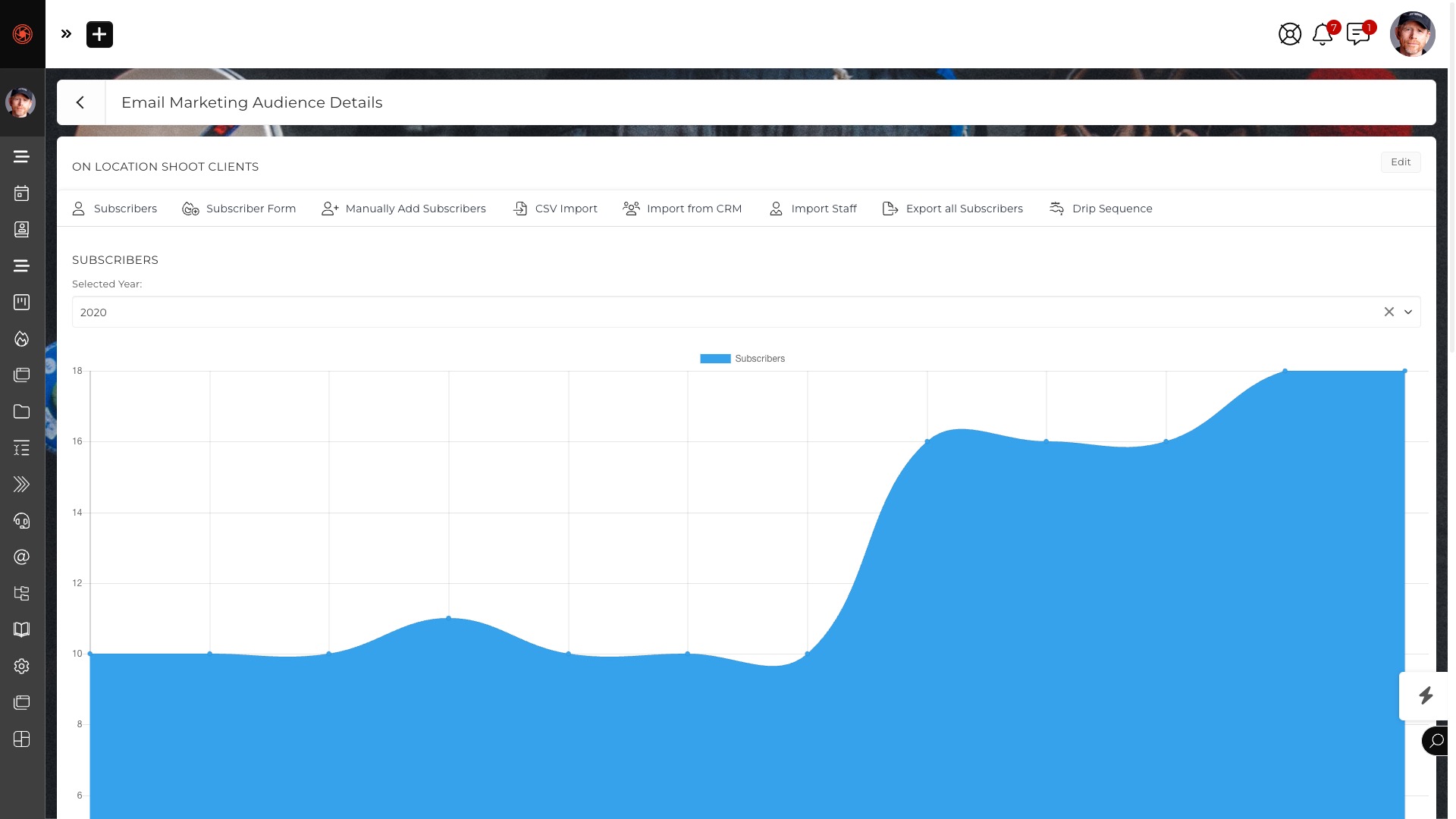
A Marketing Audience is the list a campaign or Drip Sequence sends to. It can be built by hand or imported from CSV, but it can also be synced from CRM Circles or populated automatically by Kickoff Forms and Automations. A segment defined by what a client actually is — their permission group, their stage, their custom field values — stays current without anyone exporting and re-uploading a list.
What is included, precisely
The Marketing module covers Audiences, Email Campaigns, Drip Sequences and Campaign Templates. Campaigns are one-time sends; Drip Sequences are multi-email sequences that run on a schedule or on a trigger.
A useful distinction to understand before you buy: a Subscriber exists at the marketing level only — a name and an email address — and does not have to be a CRM Contact. Subscribers can be upgraded to CRM status later, and existing CRM Contacts can be Subscribers at the same time. That means you can run a list of thousands without inflating your CRM, and promote people into it when they become real prospects.
Email Cannons send a targeted one-off email to a single recipient without needing an Audience at all, which is what you want for a personal follow-up that should still be tracked and templated. Note that Cannons are part of the PLUS Bundle Power-Up at $40/month, not the base plans — Power-Ups are priced separately and we do not fold them into the core feature set.
Pricing, and why it matters here
SuiteDash is flat rate with unlimited users: Start at $19/month, Thrive at $49/month, Pinnacle at $99/month. Marketing automation priced per contact or per email volume gets more expensive precisely as it starts working, which is a strange incentive to accept. Flat pricing removes the question.
Marketing-email deliverability is billed as a pass-through service at cost, with no markup, as are SMS through Twilio and AI credits. You pay what we pay.
Where SuiteDash is not the right answer
If marketing automation is the only thing you need — no client portal, no invoicing, no projects — a dedicated marketing platform will have deeper campaign analytics, more sophisticated A/B testing and a larger template ecosystem. The argument for SuiteDash is not that its marketing module beats a specialist on features. It is that the marketing module knows what the rest of your business is doing, and that a specialist can only learn through an integration you have to build, pay for and maintain.
If your business is one where marketing, delivery and billing are the same relationship — agencies, consultants, accountants, coaches, service firms — that connection is usually worth more than the extra campaign features.
Related
See also Email Campaign Management, CRM Software, and the full feature set.
Common questions
What is marketing automation software?
Marketing automation software turns manual follow-up into sequences the system runs itself. A prospect submits a form and joins a nurture sequence; a proposal is signed and they stop receiving prospect emails; an invoice is paid and onboarding begins. The difficulty is rarely sending the email — it is knowing when to send it, which requires visibility of what is happening in the CRM, the proposal, the invoice and the project.
How is this different from a standalone marketing tool?
A standalone tool has to learn about a signed proposal or a paid invoice through an integration you build, pay for and maintain. Here, Marketing, CRM, Invoicing, Proposals, Projects, Scheduling and the Client Portal all sit on a single shared data layer, so an automation can be triggered by anything happening in any of them and act on anything in any other.
What can trigger a marketing automation?
FLOWs fire from CRM events, form submissions, proposal signatures, invoice payments, appointment bookings, project completions and deal-stage changes. Because the trigger and the action live in the same system, an automation cannot break at an integration seam when a third-party vendor changes an API.
How do marketing audiences stay up to date?
An Audience can be built by hand or imported from CSV, but it can also be synced from CRM Circles or populated automatically by Kickoff Forms and Automations. Because Circles are the same platform-wide permission groups used elsewhere, a segment is defined once and stays correct without anyone exporting and re-uploading a list.
What is the difference between a Subscriber and a CRM Contact?
A Subscriber exists at the marketing level only — a name and an email address — and does not have to be a CRM Contact. Subscribers can be upgraded to CRM status later, and an existing CRM Contact can be a Subscriber at the same time. This lets a large newsletter list run without inflating the CRM.
Does marketing automation cost extra?
No. SuiteDash is flat rate with unlimited users at , and per month, with no per-contact or per-email pricing. Marketing-email deliverability is a pass-through service billed at cost with no markup. Email Cannons are part of the PLUS Bundle Power-Up at per month, which is priced separately from the plans.
When should you choose a dedicated marketing platform instead?
If marketing automation is the only thing you need — no client portal, no invoicing, no projects — a specialist platform will offer deeper campaign analytics, more sophisticated A/B testing and a larger template ecosystem. SuiteDash competes on the marketing module knowing what the rest of the business is doing, not on beating a specialist feature for feature.